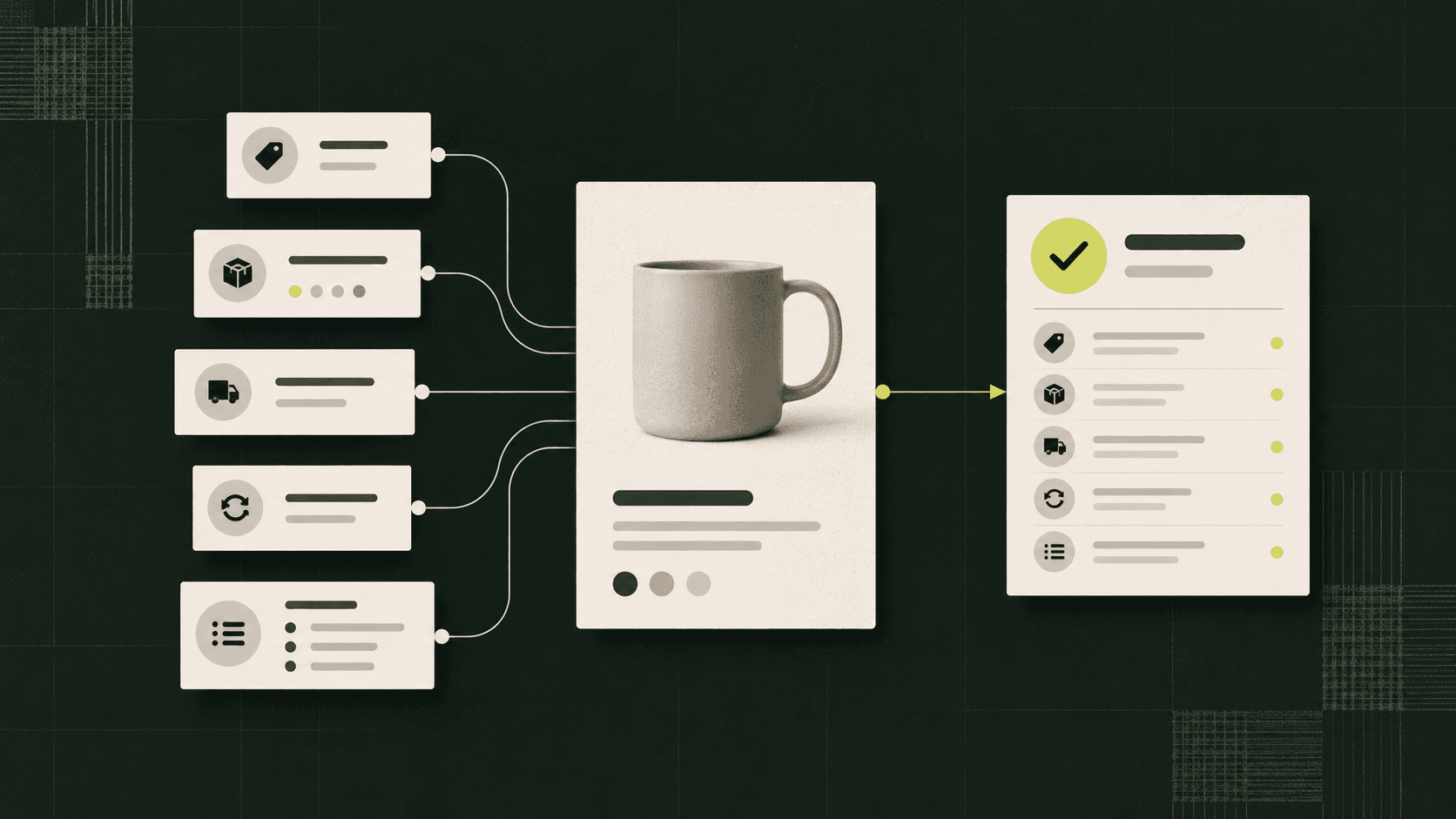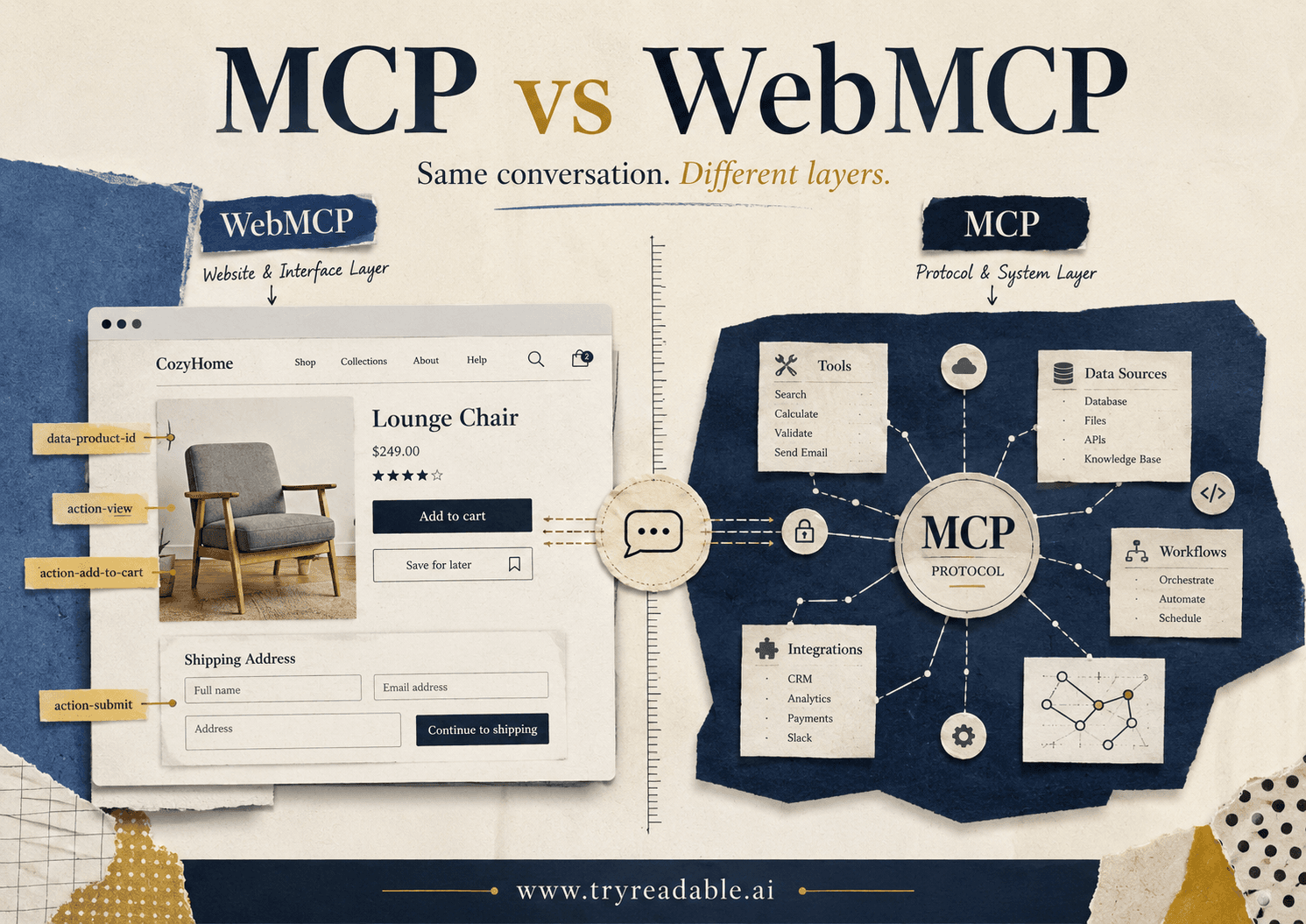
MCP and WebMCP sound similar, but they solve different problems.
That naming overlap is already causing confusion inside product, marketing, platform, and web teams. One term refers to an official protocol that lets AI systems connect to tools and data. The other refers to an emerging website-side pattern for making web actions easier for AI agents to understand and call.
If your team is trying to decide what to build next, the simplest way to think about it is this:
- MCP helps an AI system connect to a tool or data source.
- WebMCP tries to make a website itself more legible and actionable for an AI agent.
They are related, but they are not interchangeable.
What MCP Actually Is
The Model Context Protocol, introduced by Anthropic in November 2024, is an open standard for connecting AI assistants to external systems such as content repositories, business tools, and development environments. Anthropic describes it as a way to replace fragmented one-off integrations with a simpler common protocol. You can see that framing in Anthropic's announcement and in the official MCP project documentation.
In practical terms, MCP gives AI products a standard way to:
- discover available tools
- read structured resources
- receive prompts or instructions
- call functions on external systems
That means MCP is usually discussed at the application or system integration layer. A company might expose an MCP server for its CRM, product catalog, support knowledge base, analytics system, or internal workflow engine.
For website teams, the key point is that MCP is not primarily a website markup format. It is an integration protocol.
What WebMCP Means
WebMCP is not the same thing as the official MCP specification.
Right now, the term mostly points to an emerging idea: websites can expose structured, agent-friendly descriptions of page elements and actions so AI assistants do not have to infer everything from raw HTML, screenshots, or brittle browser automation.
The clearest published reference is the 2025 paper webMCP: Efficient AI-Native Client-Side Interaction for Agent-Ready Web Design. That paper describes webMCP as a client-side standard that embeds structured interaction metadata directly into web pages. Its goal is to help agents understand what parts of a page do, what actions are available, and how to complete tasks more efficiently.
That is an important distinction:
- MCP standardizes how an AI application talks to tools and data systems.
- WebMCP proposes a way for a website to expose agent-usable action metadata inside the web experience itself.
So when someone says, "We need MCP on the website," that sentence is usually hiding two very different implementation paths.
The Fastest Way to Explain the Difference
Here is the plain-English version:
MCP is like a standardized API adapter for AI tools
If an AI assistant needs to check inventory, create a support ticket, look up pricing rules, or pull a record from a database, MCP gives the assistant a more standard way to do that.
WebMCP is like a website-side action map for agents
If an AI assistant lands on a webpage and needs to understand:
- which button adds a product to cart
- which form starts checkout
- which selector changes size or color
- which account action requires confirmation
WebMCP is trying to make those page actions easier to interpret without forcing the agent to guess from the full interface.
Why Website Teams Are Mixing Them Up
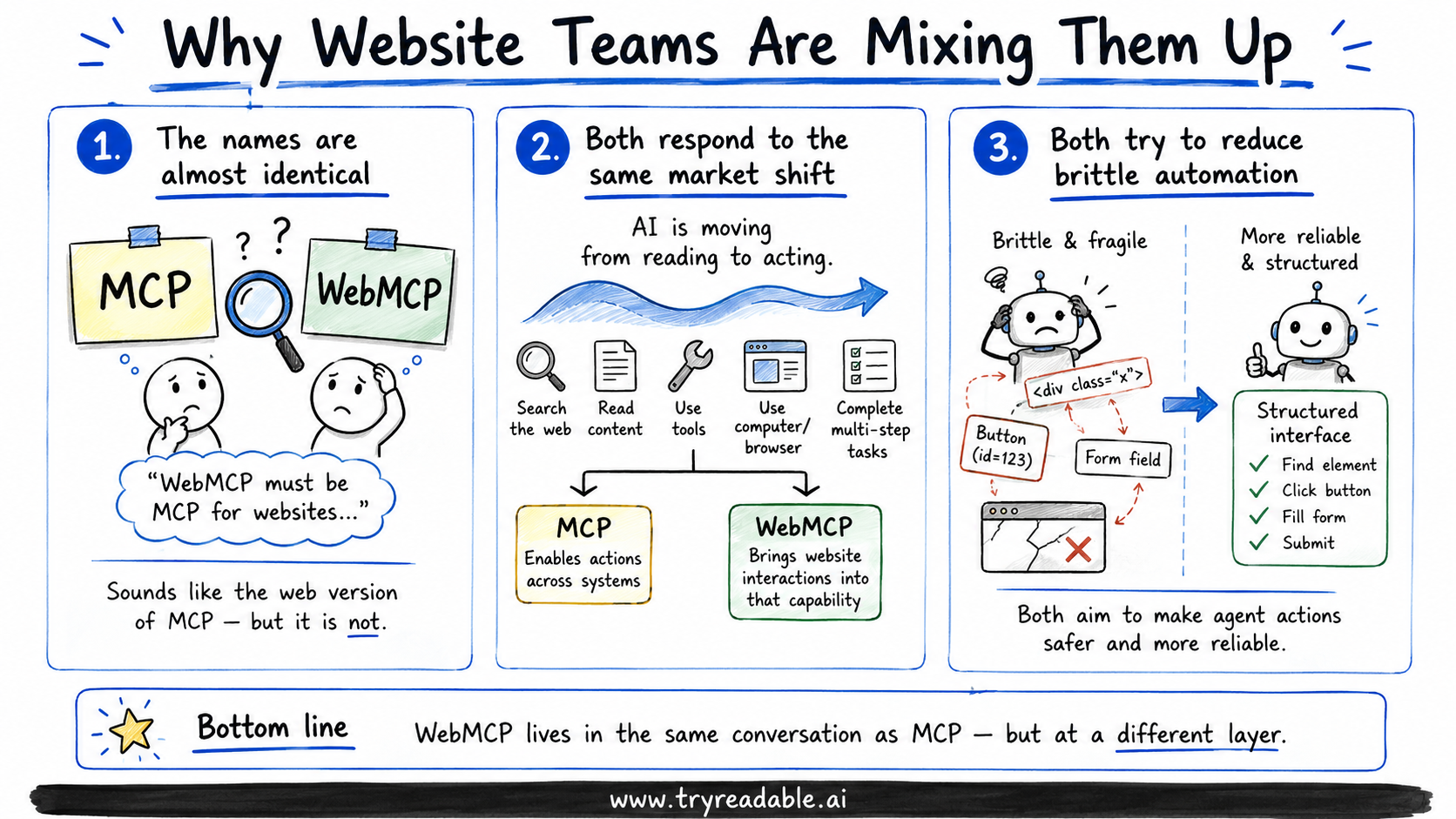
There are 3 reasons this confusion is happening.
1. The names are almost identical
To non-engineering stakeholders, "WebMCP" sounds like "MCP for websites." That creates the impression that one is the official web version of the other.
Today, that is not really accurate. MCP is the formal protocol. WebMCP is better understood as an emerging design pattern or proposal that borrows the MCP framing for the browser layer.
2. Both are responses to the same market shift
Both ideas come from the same underlying reality: AI systems are no longer just reading content. They are increasingly expected to take actions, retrieve live information, and complete multi-step tasks.
OpenAI's agent tooling announcement in March 2025 made that direction very explicit. It framed agents as systems that can accomplish tasks on behalf of users, and paired models with tools like web search, file search, and computer use. Once you accept that shift, it becomes obvious why teams are asking whether a normal website is enough.
3. Both are trying to reduce brittle automation
A lot of current agent behavior is fragile. Agents scrape HTML, infer intent from labels, click through interfaces built only for humans, and break when a page structure changes.
The June 2025 paper Build the web for agents, not agents for the web argues that this mismatch is structural. Its core point is that we should not keep forcing agents to adapt to interfaces designed only for people. Instead, we should build agent-ready interfaces that are safer, more efficient, and easier to standardize.
WebMCP lives in that conversation. MCP does too, but from a different layer.
MCP vs WebMCP by Layer
| Question | MCP | WebMCP |
|---|---|---|
| Main job | Connect AI systems to tools and data | Make website actions easier for agents to interpret and trigger |
| Where it usually lives | App, backend, tool, or platform layer | Browser or website interaction layer |
| Primary audience | AI platform, backend, and integration teams | Web, product, UX, and ecommerce teams |
| Typical use case | "Let the agent query inventory or create an order" | "Let the agent understand which page action maps to add-to-cart or checkout" |
| Official standard status | Yes, formal open standard | No, emerging proposal/pattern |
| Best fit | Secure system-to-system access | Clearer agent interaction on existing websites |
This is the table most teams need.
What This Means for Marketing Teams
If you sit in marketing, growth, or content, the most useful takeaway is simple:
Do not assume MCP by itself makes your website AI-readable.
An MCP server may help an AI product access structured data or perform actions, but that does not automatically fix:
- poor crawlability
- weak page structure
- missing schema
- confusing navigation
- incomplete product or service detail pages
- content that is hard for AI systems to parse and cite
Those website basics still matter. They are closer to the work we cover in What is an AI-native website and why do you need one?, How LLMs Discover Your Model Context Protocol and Why It Matters, and our upcoming pillar on WebMCP implementation.
So for marketing teams, MCP is usually not the first project. Clearer content structure, stronger retrieval paths, and cleaner AI-readable website architecture usually come first.
What This Means for Product and Web Teams
For product, platform, and web teams, the better question is not "Should we choose MCP or WebMCP?"
It is:
Which layer is currently limiting agent success for our business?
That answer usually falls into one of 3 buckets.
Bucket 1: The agent cannot access the right system data
Examples:
- pricing logic lives in internal tools
- order status lives behind authenticated APIs
- product availability is not visible on the public site
- account actions require backend workflows
This is an MCP-shaped problem.
Bucket 2: The agent can reach the website, but cannot reliably understand or execute page actions
Examples:
- filters are ambiguous
- buy buttons are dynamically injected
- forms are overloaded with human-only UX assumptions
- important states are hidden in scripts or visual components
This is a WebMCP-shaped problem, or at least an agent-interface problem.
Bucket 3: Both layers are weak
This is common.
The site is hard to parse, and the real business actions also require backend access. In that case, you probably need a staged roadmap:
- improve public AI readability
- expose critical data and actions through system interfaces
- add cleaner website-side action mapping where browser flows still matter
A Useful Rule of Thumb
If the action can be completed more safely through a backend tool, prefer MCP.
If the action must happen on the website surface, or the AI agent still needs to navigate the web interface, then WebMCP-style structure becomes more relevant.
For example:
Check current subscription tiershould probably be a backend tool.Add this product variation to cart from the PDPmay need website-side interaction support.Pull approved brand messaging for an answershould probably come from structured resources or a knowledge system.Choose size, color, delivery speed, and warranty on a retail pagemay still need an agent-aware web interaction layer.
Where WebMCP Fits Into the Broader AI-Readable Website Stack
One reason WebMCP is getting attention is that it fills a gap between plain content discoverability and full tool integration.
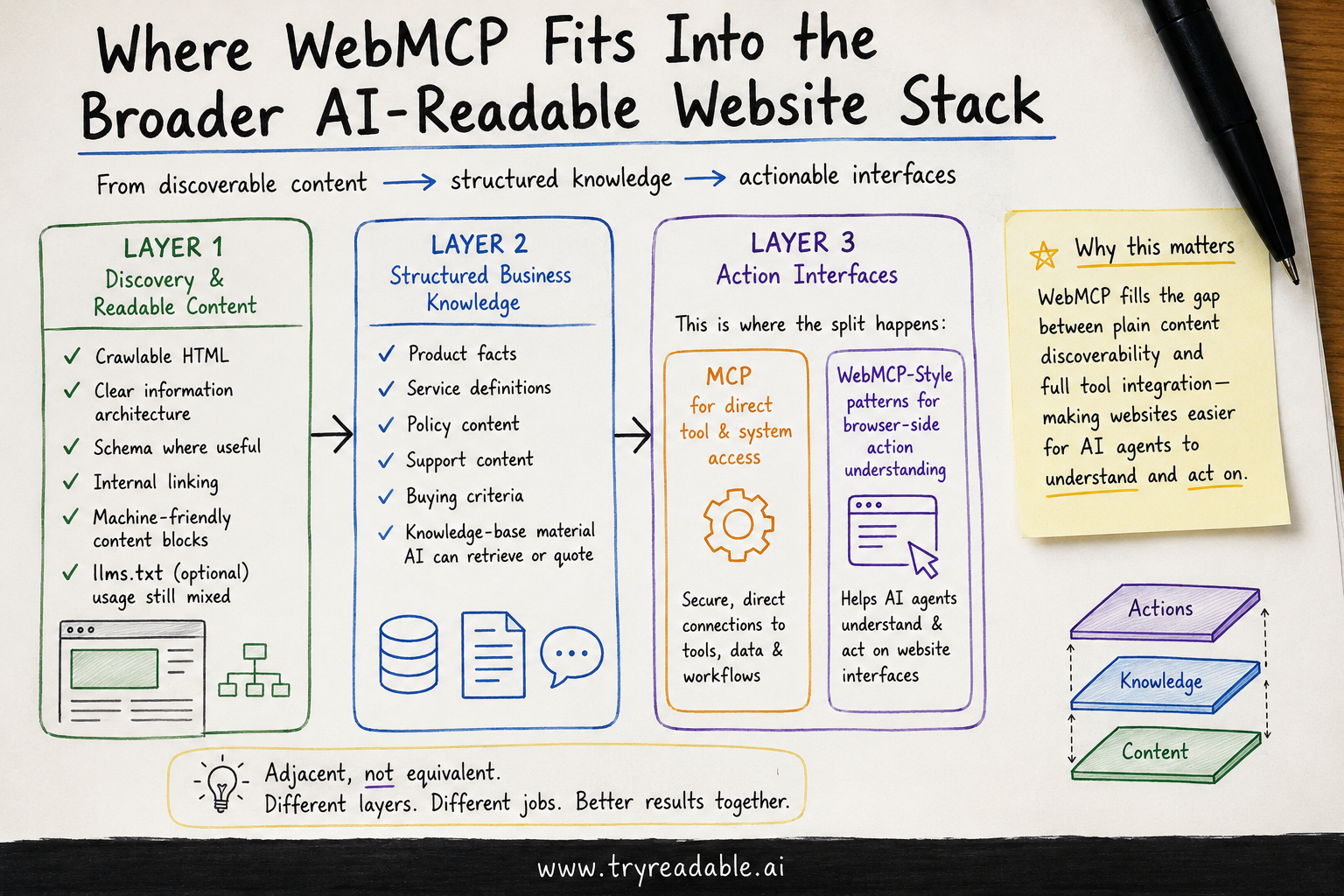
Think of the stack like this:
Layer 1: Discovery and readable content
This includes:
- crawlable HTML
- clear information architecture
- schema where useful
- internal linking
- machine-friendly content blocks
llms.txtif your team wants an explicit AI-facing hint file, even though practical usage remains mixed
If you want background on that file specifically, see We analyzed 2M AI-agent requests. None asked for LLMs.txt..
Layer 2: Structured business knowledge
This includes:
- product facts
- service definitions
- policy content
- support content
- buying criteria
- knowledge-base material that an AI system can quote or retrieve
Layer 3: Action interfaces
This is where the split happens:
- MCP for direct tool and system access
- WebMCP-style patterns for browser-side action understanding
That is why the terms are adjacent, not equivalent.
Should Most Website Teams Implement WebMCP Right Now?
Usually, not first.
That is not a dismissal of the idea. It is just a prioritization call.
For most teams in 2026, the bigger wins still come from:
- making core pages easier for AI systems to read
- exposing clean structured business information
- identifying which high-value actions deserve tool access
- reducing fragile frontend patterns that hide critical information
Then, once those basics are in place, WebMCP becomes more interesting for high-friction flows where AI agents genuinely need to operate on the website surface.
Ecommerce is a good example. If an agent needs to compare variants, add the right product to cart, preserve state, and move toward checkout, website-side action mapping can matter a lot. But if your pricing, comparison logic, and inventory checks are already available through secure tools, you may get more value from MCP first.
The Strategic Difference in One Sentence
MCP helps agents reach your systems. WebMCP helps agents handle your interface.
That one sentence is usually enough to reset the conversation.
What We Recommend Teams Do Next
If your team is sorting through this now, here is a practical order of operations:
- Audit whether your website is already easy for AI systems to read and cite.
- List the business actions an agent should ideally complete for a user.
- Separate those actions into:
- direct tool actions
- website interaction actions
- Use MCP thinking for the direct tool actions.
- Use WebMCP or agent-interface thinking for the website interaction actions.
- Keep security, permissions, and user consent explicit at both layers.
That is the durable way to approach this category. It keeps your team from treating every agent problem like a frontend problem, and it also keeps you from assuming backend tools alone solve the website experience.
Final Takeaway
MCP and WebMCP belong in the same strategy conversation, but they are not the same implementation.
MCP is the official protocol for connecting AI systems to data and tools.
WebMCP is an emerging website-side approach for exposing cleaner action metadata and reducing brittle agent interaction with human-designed pages.
If you keep those roles separate, your roadmap gets much clearer:
- use MCP when the real need is trusted tool access
- use WebMCP-style design when the real need is cleaner agent interaction on the site
- use broader AI-readable website work when the bigger issue is discoverability, clarity, and citation readiness
That is the difference website teams need to know.
Sources
Keen to learn more about how WebMCP can help you grow?
If WebMCP, MCP, or agent-facing APIs could affect your product or customer journey, talk to us about what matters now and what can wait.