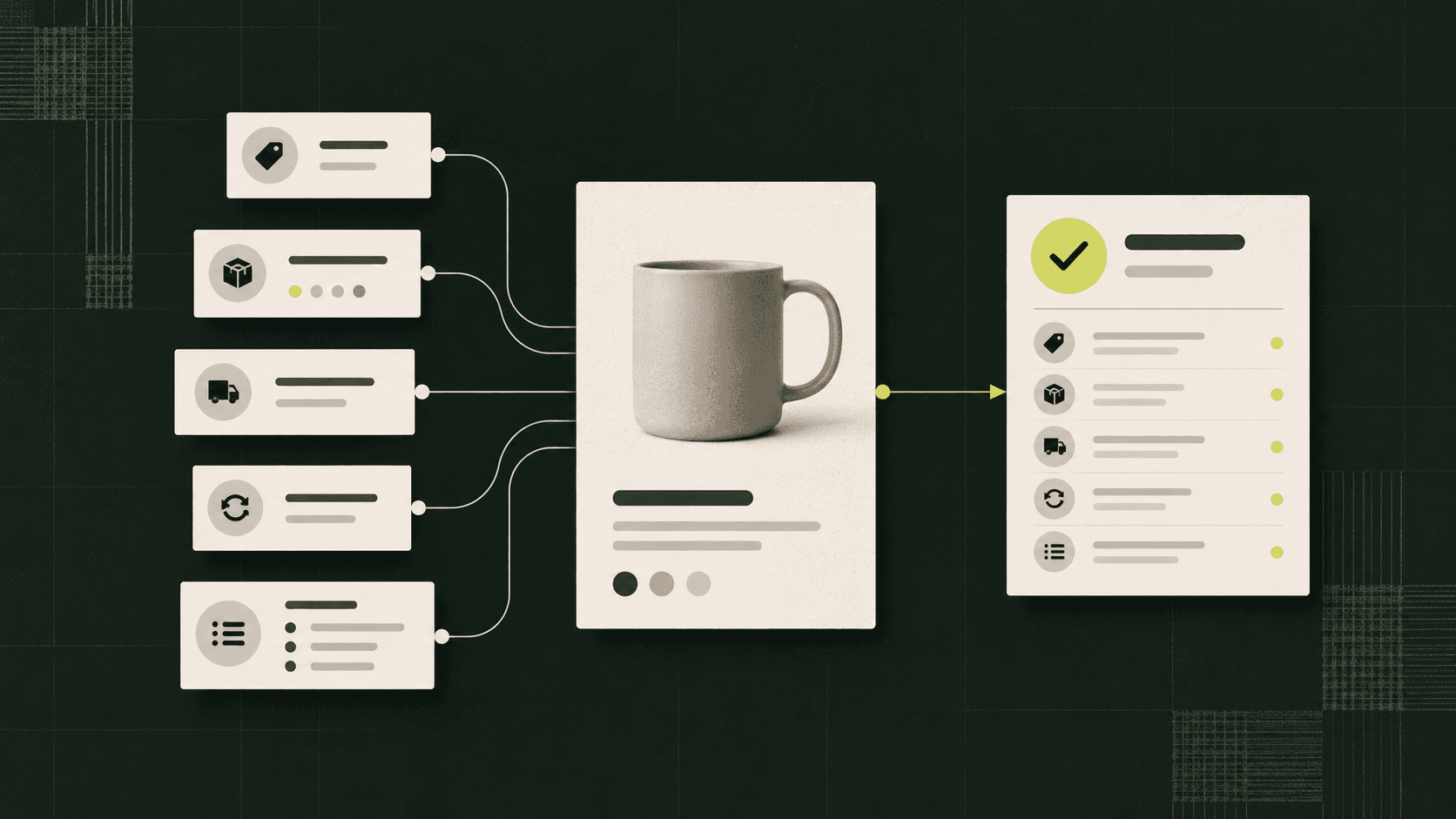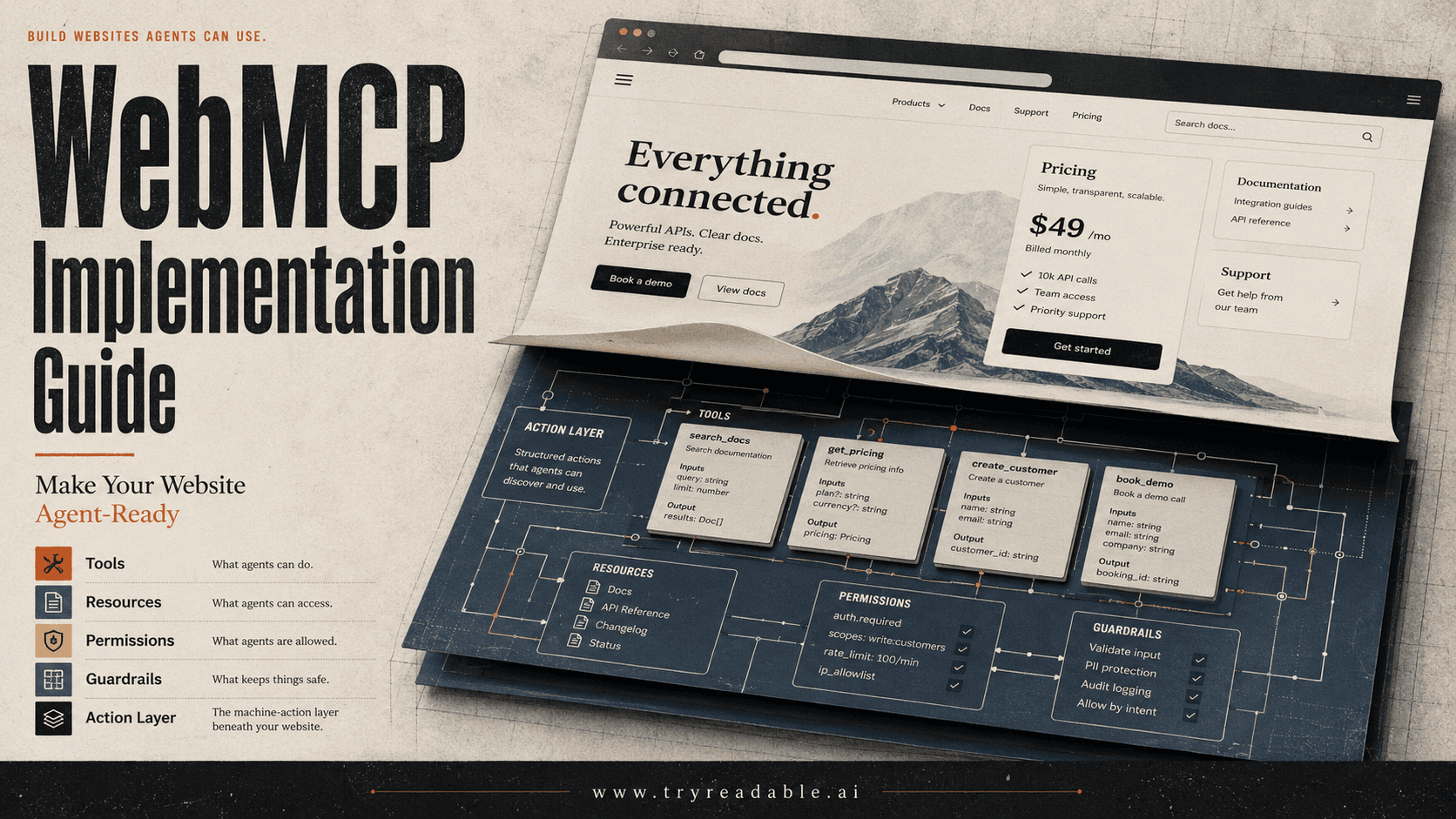
WebMCP implementation is the process of making a website usable by AI agents through structured tools, resources, and action contracts. Instead of forcing an agent to guess what a button does or scrape a page like a person, a WebMCP-ready site can expose explicit actions such as product search, pricing lookup, support-ticket creation, demo booking, or checkout handoff.
That shift matters because the web is moving from pages that only humans browse to websites that AI assistants can read, compare, and act on. A human visitor still needs clear design and persuasive copy. An AI agent needs reliable structure, permissions, schemas, and source material it can trust.
Google's Chrome team describes WebMCP as an early-preview effort to help sites expose structured tools so browser agents can complete actions with more speed, reliability, and precision. The current Chrome preview is not a production standard every site can rely on yet, but it is a useful signal: the agentic web is becoming a real implementation surface, not just an SEO theory.
For Readable customers, the practical takeaway is simple: WebMCP is one layer of an AI-readable website. It can help agents act on your site, while AI visibility, clean content architecture, source pages, and an AI knowledge base help agents understand when to recommend you.
Quick Answer: What Is WebMCP Implementation?
WebMCP implementation means defining the actions, data, and workflows that AI agents can safely use on your website. A WebMCP-ready site does three things:
- It describes what an agent can do.
- It provides structured inputs and outputs for each action.
- It keeps permissions, user confirmation, and security boundaries clear.
Think of it as a tool contract for your website. Instead of an agent visually inspecting a checkout page, it can ask the site what actions are available and call the right one with structured data.
That does not replace normal SEO, schema markup, conversion copy, or user experience. It adds a machine-action layer for AI assistants that need to complete tasks on behalf of a user.
Why WebMCP Matters Now
AI search is already changing the discovery journey. Users ask ChatGPT, Gemini, Claude, Perplexity, or Google AI experiences to compare options, shortlist vendors, explain features, and complete research that used to happen across many browser tabs.
The next step is action. Instead of only answering, agents will increasingly help users do things:
- Find a product that matches constraints.
- Compare plans across vendors.
- Book a demo.
- Create a support ticket.
- Configure a quote.
- Retrieve a document.
- Start a checkout or signup flow.
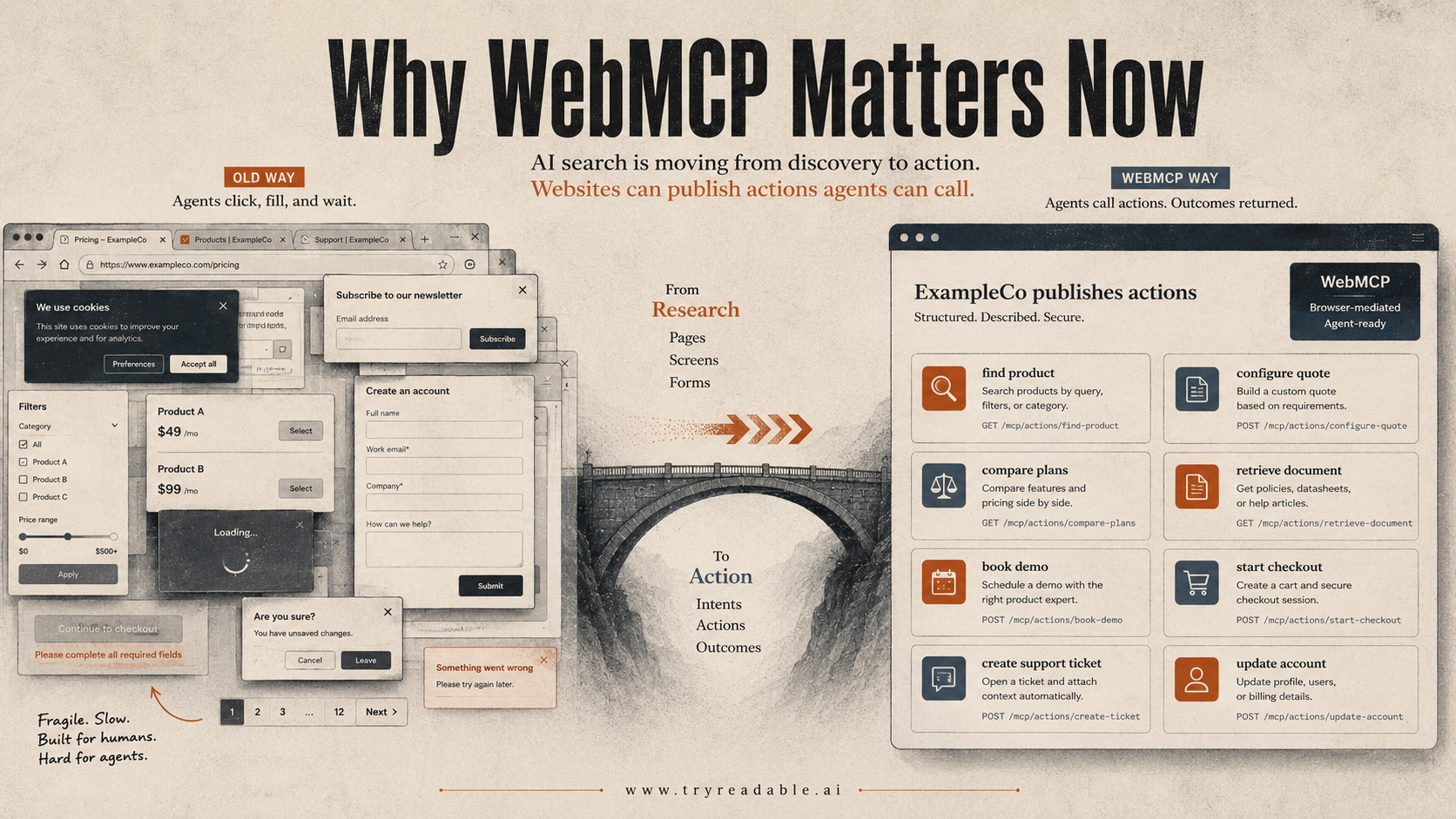
Today, many agents still operate by reading the visible page, interpreting forms, and clicking through the user interface. That works for simple flows, but it is brittle. Modern sites are full of client-side rendering, modals, disabled states, personalization, cookie banners, dynamic filters, and hidden business logic.
WebMCP points toward a cleaner model: the website publishes the actions an agent can use, and the agent calls those actions through a browser-mediated interface.
The Chrome early preview frames this as a bridge that can make websites agent-ready. The independent webmcp.dev example also shows a related pattern: websites can register tools, prompts, resources, and sampling flows for MCP clients to use.
WebMCP vs MCP
WebMCP and MCP are related, but they are not the same thing.
| Layer | MCP | WebMCP |
|---|---|---|
| Main location | Server, desktop app, local tool, or hosted service | Browser or website interaction layer |
| Primary job | Connect an AI model to tools and data | Let a website expose actions and context to browser agents |
| Typical owner | Platform, API, developer tool, internal system | Website, product, ecommerce, support, or growth team |
| Example | A CRM MCP server that lets Claude read account records | A pricing page that exposes comparePlans and bookDemo actions |
| Discovery challenge | How models or clients find the server | How agents understand what this page or site can safely do |
A useful shorthand:
MCP connects AI assistants to external systems. WebMCP makes the website itself more agent-actionable.
If your team is already thinking about MCP discovery, read our guide on how LLMs discover Model Context Protocol endpoints. WebMCP sits closer to the web page and user journey.
WebMCP vs llms.txt
WebMCP is also different from llms.txt.
| Question | llms.txt | WebMCP |
|---|---|---|
| What does it provide? | A suggested map of important content | Callable website actions and structured resources |
| Who uses it? | AI crawlers or retrieval systems, if they choose to fetch it | Browser agents or MCP clients that support the tool surface |
| Best use | Point AI systems to canonical pages and docs | Help agents take precise actions on the site |
| Risk | Low adoption, incomplete crawler support | Tool permissions, tool poisoning, unsafe actions |
Our position is pragmatic: llms.txt can be useful as a lightweight signal, but it is not enough by itself. In our own AI-agent traffic analysis, we found that major agents were not consistently asking for llms.txt. That is why we see it as one layer, not the foundation. Read more in our llms.txt traffic analysis.
WebMCP is more action-oriented. It is less about saying "here are my important pages" and more about saying "here are the things an approved agent can do on this website."
The Four Parts of a WebMCP Implementation
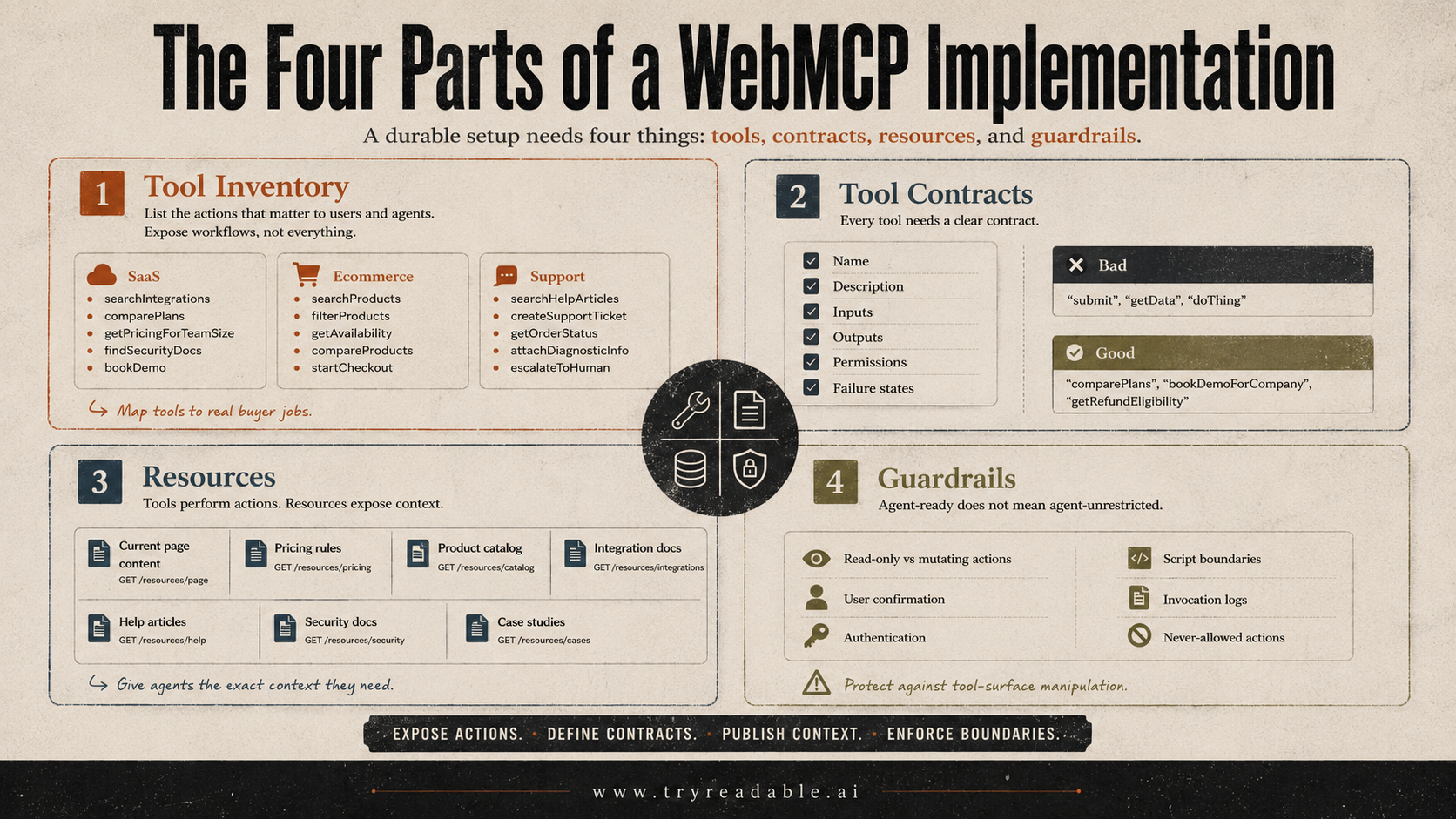
A durable WebMCP implementation has four parts.
1. Tool Inventory
Start by listing the actions that matter to users and agents. Do not expose everything. Expose the workflows that reduce ambiguity.
For a SaaS company, good first tools might be:
- searchIntegrations
- comparePlans
- getPricingForTeamSize
- findSecurityDocs
- bookDemo
- startTrial
For ecommerce, good first tools might be:
- searchProducts
- filterProducts
- getAvailability
- compareProducts
- startCheckout
- getReturnPolicy
For support, good first tools might be:
- searchHelpArticles
- createSupportTicket
- getOrderStatus
- attachDiagnosticInfo
- escalateToHuman
The best tools map to real buyer or customer jobs, not internal database objects.
2. Tool Contracts
Each tool needs a clear contract:
- Name: human-readable and stable.
- Description: what the tool does and when to use it.
- Inputs: typed fields the agent must provide.
- Outputs: predictable fields the agent can use in an answer or next step.
- Permissions: whether the action is read-only, user-confirmed, or sensitive.
- Failure states: what the agent should do when the action cannot complete.
Bad tool names are vague: submit, getData, doThing.
Good tool names say exactly what they do: comparePlans, findBestRunningShoeForClimate, bookDemoForCompany, getRefundEligibility.
3. Resources
Tools perform actions. Resources expose context.
A resource might be:
- Current page content.
- Pricing rules.
- Product catalog data.
- Integration documentation.
- Help center articles.
- Shipping policy.
- Security documentation.
- Public case studies.
The WebMCP example site shows resources identified by URIs and returned with MIME types. The core idea is that an agent should not need to scrape the whole page when the site can offer the exact content it needs.
4. Guardrails
Agent-ready does not mean agent-unrestricted.
A responsible implementation should define:
- Which actions are read-only.
- Which actions require user confirmation.
- Which actions require authentication.
- Which third-party scripts are allowed near tool registration.
- Which logs capture tool registration and invocation.
- Which actions can never be performed by an agent.
A 2026 security paper on WebMCP tool-surface poisoning highlights a real concern: if malicious scripts can manipulate the tool surface during a session, agents may see altered tool names, descriptions, schemas, or lifecycle behavior. That makes tool identity, origin binding, lifecycle consistency, and invocation logs important from the first implementation pass.
A Simple WebMCP Implementation Example
The exact browser APIs are still early and subject to change. Treat this as a conceptual pattern rather than final production code.
const tools = [
  {
    name: "comparePlans",
    description: "Compare Readable plans for a company based on team size and growth goal.",
    readOnly: true,
    inputSchema: {
      type: "object",
      properties: {
        teamSize: { type: "number" },
        goal: { type: "string", enum: ["visibility", "content", "analytics"] }
      },
      required: ["teamSize", "goal"]
    },
    handler: async ({ teamSize, goal }) => {
      return {
        recommendedPlan: teamSize > 20 ? "Growth" : "Starter",
        reason: "Team size and goal suggest this plan."
      }
    }
  },
  {
    name: "bookDemo",
    description: "Start a demo request after the user confirms they want human follow-up.",
    readOnly: false,
    requiresUserConfirmation: true,
    inputSchema: {
      type: "object",
      properties: {
        companyName: { type: "string" },
        website: { type: "string" },
        email: { type: "string" }
      },
      required: ["companyName", "website", "email"]
    },
    handler: async (input) => {
      return submitDemoRequest(input)
    }
  }
]
The implementation principle matters more than this exact syntax:
- Keep read-only research tools separate from mutating tools.
- Make tool descriptions specific enough that an agent knows when to use them.
- Require explicit confirmation before lead creation, checkout, account changes, or support escalation.
- Return structured outputs that can feed the agent's next step.
What Should Your Website Expose First?
Do not start with the hardest workflow. Start with high-intent, low-risk actions.
| Website type | First WebMCP tools to expose | Why they matter |
|---|---|---|
| B2B SaaS | comparePlans, findIntegration, getSecurityDocs, bookDemo | Agents can answer buyer questions and route qualified demand |
| Ecommerce | searchProducts, getAvailability, compareProducts, getReturnPolicy | Agents can find the right SKU without guessing from the UI |
| Marketplace | searchProviders, filterByLocation, requestQuote | Agents can match user constraints to available supply |
| Publisher | searchArticles, getTopicBrief, citeSource | Agents can retrieve clean source material |
| Local service | getServiceArea, checkAvailability, requestAppointment | Agents can confirm fit before sending a lead |
The first rule: expose the actions that match the questions buyers already ask AI systems.
Readable can help here because your AI visibility report shows the buyer questions where AI assistants mention you, miss you, or misunderstand your positioning. Those questions are a natural starting point for WebMCP tool design.
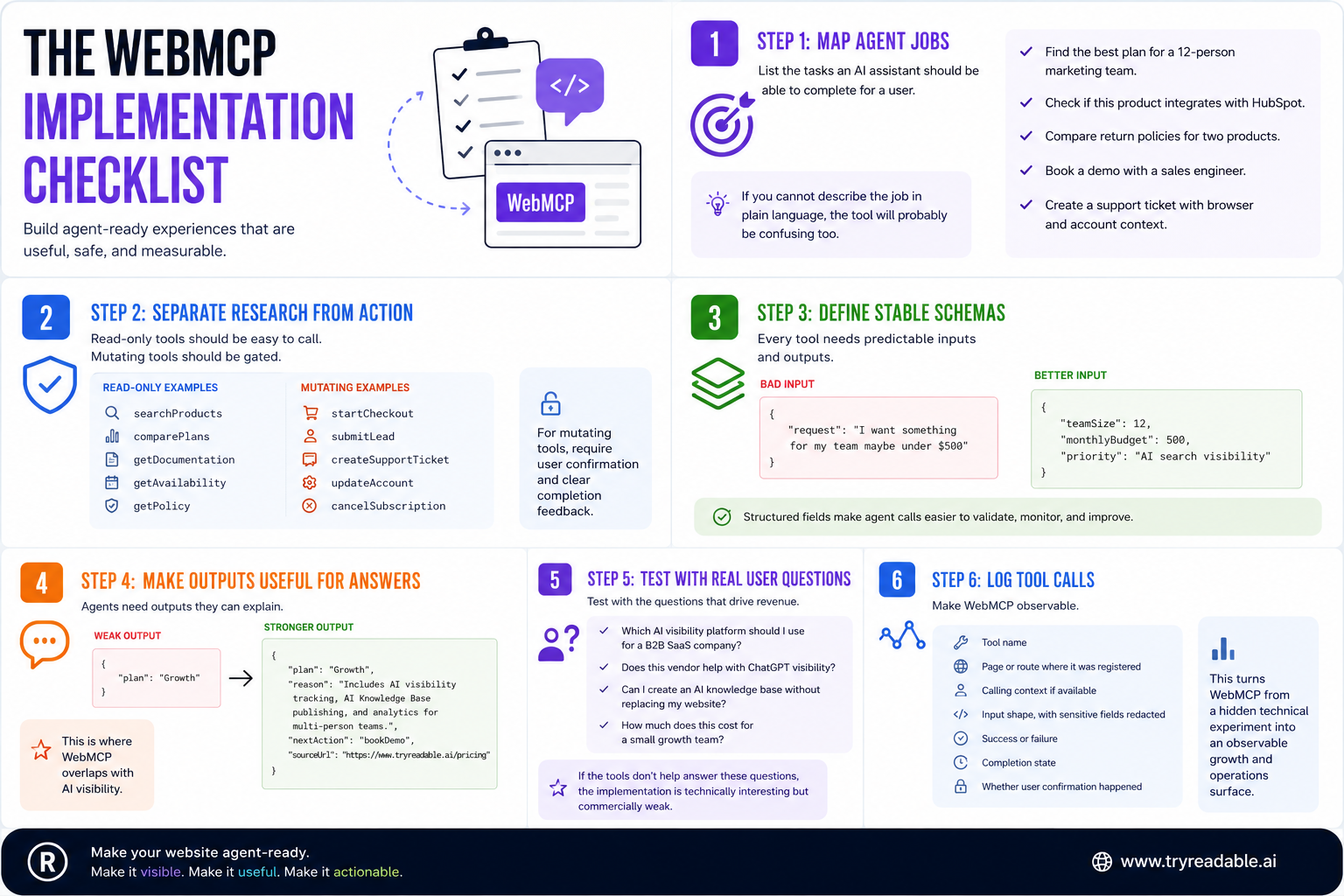
The WebMCP Implementation Checklist
Use this checklist before writing code.
Step 1: Map Agent Jobs
List the tasks an AI assistant should be able to complete for a user.
For example:
- "Find the best plan for a 12-person marketing team."
- "Check if this product integrates with HubSpot."
- "Compare return policies for two products."
- "Book a demo with a sales engineer."
- "Create a support ticket with browser and account context."
If you cannot describe the job in plain language, the tool will probably be confusing too.
Step 2: Separate Research From Action
Read-only tools should be easy to call. Mutating tools should be gated.
Read-only examples:
- searchProducts
- comparePlans
- getDocumentation
- getAvailability
- getPolicy
Mutating examples:
- startCheckout
- submitLead
- createSupportTicket
- updateAccount
- cancelSubscription
For mutating tools, require user confirmation and clear completion feedback.
Step 3: Define Stable Schemas
Every tool needs predictable inputs and outputs. Avoid accepting one giant free-text prompt when the user intent can be expressed as structured fields.
Bad input:
{ "request": "I want something for my team maybe under $500" }
Better input:
{
  "teamSize": 12,
  "monthlyBudget": 500,
  "priority": "[AI search visibility](/blog/how-aeo-geo-level-playing-field-in-ai-answers)"
}
Structured fields make agent calls easier to validate, monitor, and improve.
Step 4: Make Outputs Useful For Answers
Agents need outputs they can explain. Return enough context for the assistant to cite the result and help the user decide.
A weak output says:
{ "plan": "Growth" }
A stronger output says:
{
  "plan": "Growth",
  "reason": "Includes AI visibility tracking, AI Knowledge Base publishing, and analytics for multi-person teams.",
  "nextAction": "bookDemo",
  "sourceUrl": "https://www.tryreadable.ai/pricing"
}
This is where WebMCP overlaps with AI visibility. If your website gives agents clean facts, they can answer with more confidence.
Step 5: Test With Real User Questions
Do not test WebMCP only with developer commands. Test it with actual buyer questions:
- "Which AI visibility platform should I use for a B2B SaaS company?"
- "Does this vendor help with ChatGPT visibility?"
- "Can I create an AI knowledge base without replacing my website?"
- "How much does this cost for a small growth team?"
If the tools do not help answer the questions that drive revenue, the implementation is technically interesting but commercially weak.
Step 6: Log Tool Calls
At minimum, capture:
- Tool name.
- Page or route where it was registered.
- Calling context if available.
- Input shape, with sensitive fields redacted.
- Success or failure.
- Completion state.
- Whether user confirmation happened.
This turns WebMCP from a hidden technical experiment into an observable growth and operations surface.
Security: The Part Teams Should Not Skip
WebMCP implementation creates a new trust boundary. A browser agent may treat your tool metadata as a reliable description of what the site can do. That means the tool surface itself becomes sensitive.
Important security practices include:
- Register tools as early and consistently as possible.
- Keep third-party scripts away from tool registration where possible.
- Bind tool identity to origin.
- Avoid dynamic tool injection unless there is a clear lifecycle reason.
- Require confirmation for irreversible or sensitive actions.
- Keep read-only and mutating tools separate.
- Validate all tool input on the server, even if the browser schema looks strict.
- Log registration and invocation events.
- Redact sensitive data from logs.
The browser may mediate parts of this over time, but website teams should not wait for the platform to solve every application-level risk.
Does WebMCP Help SEO?
Not in the classic sense. WebMCP is not a ranking tag, and there is no reason to assume adding a WebMCP script will directly improve Google rankings.
The better question is: does WebMCP help AI agents understand and act on your website?
Potentially, yes. If browser agents and MCP clients can use your structured tools, they may complete workflows more accurately than they would through raw page interpretation.
But WebMCP does not solve the whole AI-search problem. Agents still need to know:
- What your company does.
- Which category you belong to.
- Which buyer questions you answer.
- Which claims are backed by evidence.
- Which pages are canonical.
- Which sources should be cited.
That is why WebMCP should sit inside a broader AI-readable website strategy. Start with visibility and content clarity, then add action layers where they help users move forward.
For a deeper foundation, read what an AI-native website is and why it matters.
A Practical Architecture For Agent-Ready Websites
A mature agent-ready website has five layers.
| Layer | Purpose | Example |
|---|---|---|
| Human UX | Convert human visitors | Landing pages, pricing, forms, product pages |
| Machine-readable content | Help AI systems parse and cite facts | Clear HTML, schema, source pages, canonical URLs |
| AI knowledge base | Give agents complete answers | Buyer-question pages, comparisons, policy explanations |
| Tool/action layer | Let agents complete workflows | WebMCP tools, MCP endpoints, typed actions |
| Measurement | Track what agents read and recommend | AI visibility reports, server logs, AI referral analytics |
Readable focuses on the layers that decide whether AI systems understand and recommend you: visibility, knowledge, and measurement. WebMCP becomes more valuable when those layers are already clear.
How To Prioritize WebMCP If You Are A Marketing Team
If you own growth, SEO, or content, you do not need to write the implementation yourself. You do need to define the business workflows.
Start by answering:
- What are the top 10 AI-search questions we want to win?
- Which of those questions require structured facts, not just prose?
- Which questions should end in a user action?
- Which actions are safe for agents to take without confirmation?
- Which actions require a human handoff?
- Which pages or sources should agents cite when answering?
Then hand engineering a prioritized tool list. For example:
| Buyer question | Needed source | Possible tool | Conversion path |
|---|---|---|---|
| "What is the best AI visibility tool for SaaS?" | Category comparison page | comparePlans | Book demo |
| "Does Readable help with ChatGPT visibility?" | AI visibility report page | getAiVisibilityCapabilities | Run report |
| "Can I create an AI knowledge base without replacing my website?" | AI KB product page | explainAiKnowledgeBase | Create workspace |
| "How do I measure AI assistant traffic?" | Agent analytics page | getAnalyticsCapabilities | Book demo |
That is the bridge between content strategy and implementation.
How To Prioritize WebMCP If You Are An Engineering Team
Engineering should start with safety and observability.
A sensible first sprint looks like this:
- Choose one read-only workflow.
- Define tool schema and output schema.
- Register the tool only on relevant routes.
- Add server-side validation.
- Add event logging.
- Test with expected and malformed inputs.
- Document what the tool can and cannot do.
- Add one gated mutating action only after the read-only flow is stable.
Avoid a giant initial tool surface. Too many tools create more ambiguity, more permissions risk, and more maintenance work.
Common WebMCP Implementation Mistakes
Mistake 1: Exposing Internal APIs Directly
Your internal API shape is not your agent interface. Agents need user-centered actions, not private table names or implementation details.
Mistake 2: Letting Every Page Register Different Tools
Some route-specific tools make sense, but the core vocabulary should stay stable. If comparePlans means one thing on the pricing page and another thing on a product page, agents will struggle.
Mistake 3: Treating Descriptions As Decoration
Tool descriptions are part of the interface. They tell the agent when to call the tool. Write them like product copy for machines: specific, plain, and constrained.
Mistake 4: Skipping Completion Feedback
If an agent books a demo, submits a ticket, or starts a checkout, the site should return a clear result. Do not leave the agent guessing whether the action worked.
Mistake 5: Confusing Agent Access With Agent Trust
Just because an agent can call a tool does not mean it will trust the answer. You still need strong source pages, consistent claims, and evidence-backed content.
FAQ
Is WebMCP available today?
WebMCP is available through Chrome's early preview program for prototyping, according to the Chrome for Developers announcement. Treat the APIs as early-stage and subject to change.
Is WebMCP the same as MCP?
No. MCP connects AI assistants to tools and data sources. WebMCP is about making website interactions and page-level workflows more structured for browser agents.
Do I need WebMCP right now?
Most companies should not start with WebMCP. Start by making your website understandable and citeable for AI search. Then expose structured actions where agents can help users make progress.
Can WebMCP improve ChatGPT visibility?
Not by itself. WebMCP may help agents act on your site, but visibility in AI answers still depends on clear content, category association, citations, and whether AI systems understand your brand well enough to recommend it.
What is the safest first WebMCP tool?
A read-only tool is usually safest. Examples include comparePlans, searchProducts, findDocumentation, getAvailability, or getReturnPolicy.
How does WebMCP relate to schema markup?
Schema markup describes entities and content for search engines and other parsers. WebMCP describes actions and resources that agents may call. They are complementary.
The Bottom Line
WebMCP implementation is not just a developer experiment. It is an early sign of where websites are going: from static pages that agents scrape to structured systems that agents can understand and use.
But the order matters. First, make your brand understandable. Then make your content citeable. Then make your workflows agent-actionable.
Readable helps with the first two foundations: seeing where AI systems already mention you, identifying where they miss or misdescribe you, and creating the AI-readable pages that make your brand easier to recommend.
Once that foundation is in place, WebMCP gives your website a cleaner way to let agents take the next step.
Run a free AI visibility report to see which buyer questions your brand already wins, misses, or needs to support before you decide which WebMCP tools to expose.
Sources
- Chrome for Developers: WebMCP is available for early preview
- Chrome for Developers: Join the early preview program
- webmcp.dev example and JavaScript library notes
- Search Engine Land coverage of Google's WebMCP preview
- webMCP: Efficient AI-Native Client-Side Interaction for Agent-Ready Web Design
- WebMCP Tool Surface Poisoning: Runtime Manipulation Attacks on LLM Agents
Is your website ready for AI agents to take action?
We'll help you map the workflows that matter most and build a WebMCP layer that lets agents complete tasks reliably on your site.