
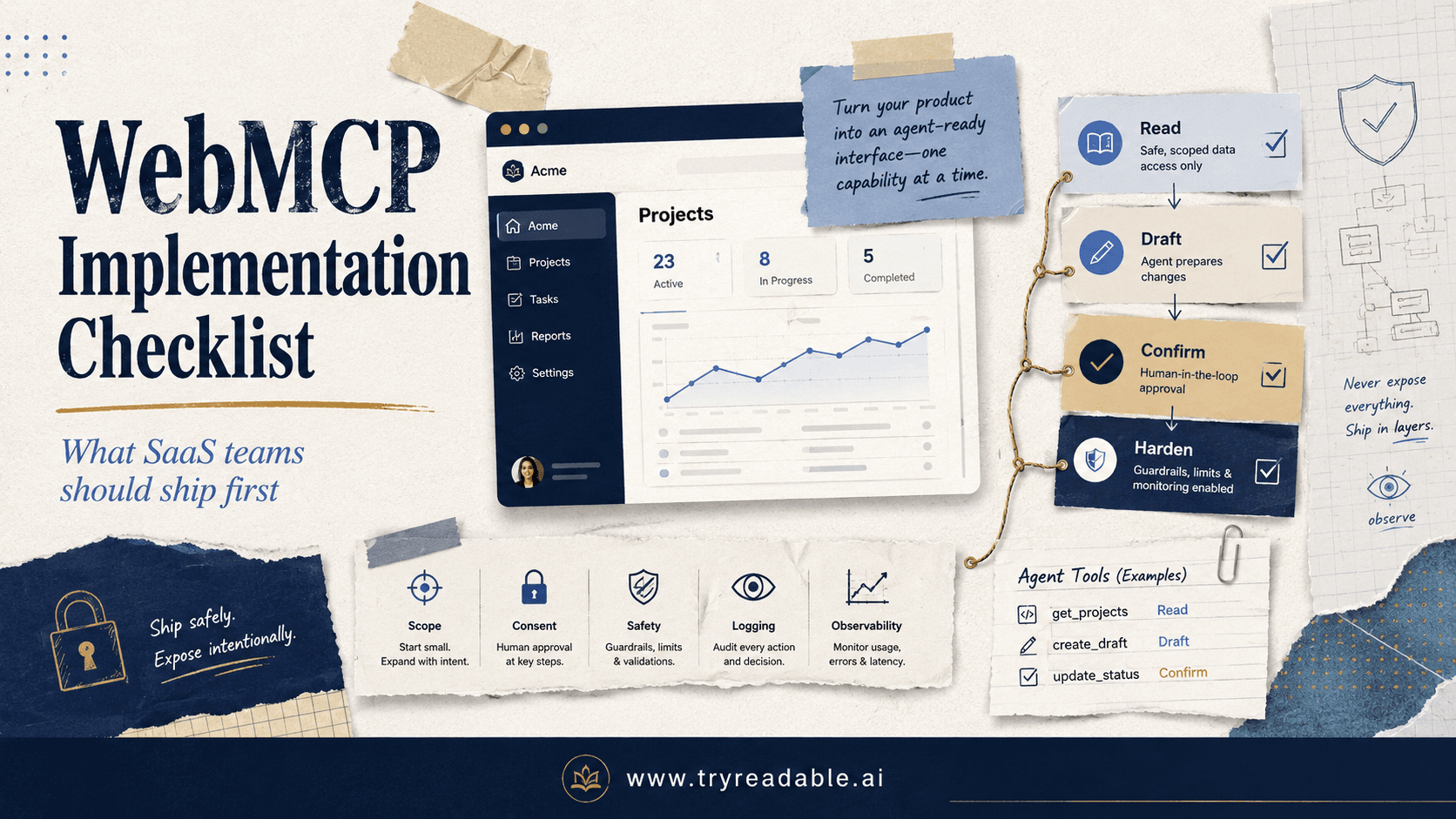
If your team is exploring WebMCP, the hard part is usually not understanding the promise. The hard part is deciding what to ship first, what to leave out, and how to make it safe enough for a real SaaS product.
This guide gives you a practical checklist.
One quick clarification before we start: MCP is the formal open protocol. In this article, WebMCP refers to the practical pattern of exposing MCP-style tools and data through your website or SaaS product's web layer so AI agents can read or act on real product capabilities. That framing is an implementation lens, not a separate formal standard.
If you want the broader architecture first, start with our WebMCP implementation guide. For background on how MCP fits into AI discovery and orchestration, see How LLMs Discover Your Model Context Protocol and Why It Matters. For the bigger shift in website design, What is an AI-native website and why do you need one? is the right companion read.
Why SaaS teams need a checklist
The official MCP spec defines the protocol building blocks: JSON-RPC messages, transports, authorization for HTTP-based transports, and server features such as tools. Anthropic introduced MCP as an open standard for connecting AI assistants to business tools, content repositories, and development environments. The MCP spec also makes clear that tools are model-callable interfaces with defined schemas, and that web-facing HTTP implementations need explicit authorization and security controls.
That still leaves SaaS teams with product decisions like:
- Which actions should an agent be allowed to perform?
- Which actions should stay human-only?
- How do you make a tool useful without exposing too much power?
- How do you avoid building a clever demo that breaks trust in production?
A checklist helps because it forces you to design for scope, consent, reliability, and observability before you expose live actions.
The WebMCP implementation checklist
1. Start with one clear customer job
Do not begin with "let's expose our whole app to agents."
Start with one narrow job that already has a clean user value story. Good early examples for SaaS products include:
- finding account information
- summarizing billing or usage details
- creating a draft object for human review
- checking plan limits or feature availability
- retrieving help-center or setup guidance tied to the current account
Bad first candidates are broad, destructive, or multi-step workflows like deleting resources, changing permissions, or bulk-editing production settings.
A good rule is simple: your first WebMCP flow should save time, not create new categories of risk.
2. Separate read tools from write tools
This is one of the most important design decisions.
Your first version should usually expose:
- read-only tools
- preview tools
- draft-generation tools
- validation tools
Treat mutating actions as a separate phase.
If an agent can update data, create records, submit changes, or trigger downstream systems, the UX and security burden rises fast. MCP's own tools guidance recommends a human in the loop, with clear user visibility and the ability to deny tool invocations for trust and safety reasons.
For many SaaS websites, the best first rollout looks like this:
- Phase 1: retrieve data and prepare drafts
- Phase 2: allow low-risk writes with confirmation
- Phase 3: support richer multi-step actions only after logs and controls are proven
3. Turn vague product actions into stable tool contracts
AI agents do not need access to your internal controller names. They need well-scoped tools with stable input and output shapes.
The MCP tools spec expects each tool to have a unique name plus schema metadata. That should push your team toward tool contracts that are:
- task-specific
- strongly typed
- small in surface area
- easy to explain to a human reviewer
For example, this is much better than a generic catch-all tool:
{
  "name": "create_support_ticket_draft",
  "description": "Create a draft support ticket for the signed-in workspace without sending it.",
  "inputSchema": {
    "type": "object",
    "properties": {
      "subject": { "type": "string" },
      "issueSummary": { "type": "string" },
      "priority": { "type": "string", "enum": ["low", "normal", "high"] }
    },
    "required": ["subject", "issueSummary"]
  }
}
Compared with something like manage_workspace, the draft tool is easier to test, easier to audit, and much harder to misuse.
4. Make user identity and account scope explicit
A website tool is only as safe as its scoping rules.
Before you expose any WebMCP capability, define:
- who the acting user is
- which workspace, account, or tenant they belong to
- which objects are in scope
- which roles are allowed to call which tools
Do not rely on the model to infer access boundaries from prose.
If the same website supports multiple workspaces, the tool layer should require explicit tenant scoping and enforce it server-side every time. This matters even more for agent-driven sessions where the model may try multiple tools in sequence.
5. Use web transport only when you are ready for web security
The MCP transport spec supports both stdio and Streamable HTTP. For web-facing product integrations, the relevant path is HTTP, not local subprocess transport.
That comes with concrete requirements. In the current MCP spec, HTTP transport uses a single MCP endpoint, JSON-RPC messages over HTTP POST, optional SSE streaming, and protocol-version headers. The same spec also warns that Streamable HTTP servers must validate the Origin header, should bind local servers only to localhost when relevant, and should implement authentication for all connections.
For a SaaS website, that means your checklist should include:
- HTTPS only
- strict origin validation where applicable
- authenticated requests
- versioned endpoint behavior
- timeouts and rate limits
- request logging
If your team is still at the "we can make it work locally" stage, you are not done with the web implementation stage yet.
6. Treat authorization as a product feature, not a backend detail
The MCP authorization spec defines transport-level authorization for HTTP-based transports and aligns it with OAuth patterns, protected resource metadata, and authorization server discovery.
You do not need to expose every advanced flow on day one. But you do need a clear answer to these questions:
- How does an agent obtain permission to act for this user?
- How is consent captured?
- How are scopes limited?
- How are tokens validated?
- How are expired or mis-scoped tokens handled?
For SaaS products, this usually means mapping tools to application scopes such as:
account:readbilling:readtickets:draftreports:create_draft
Keep the scopes narrow. If a tool only needs draft creation, do not give it publish or delete privileges.
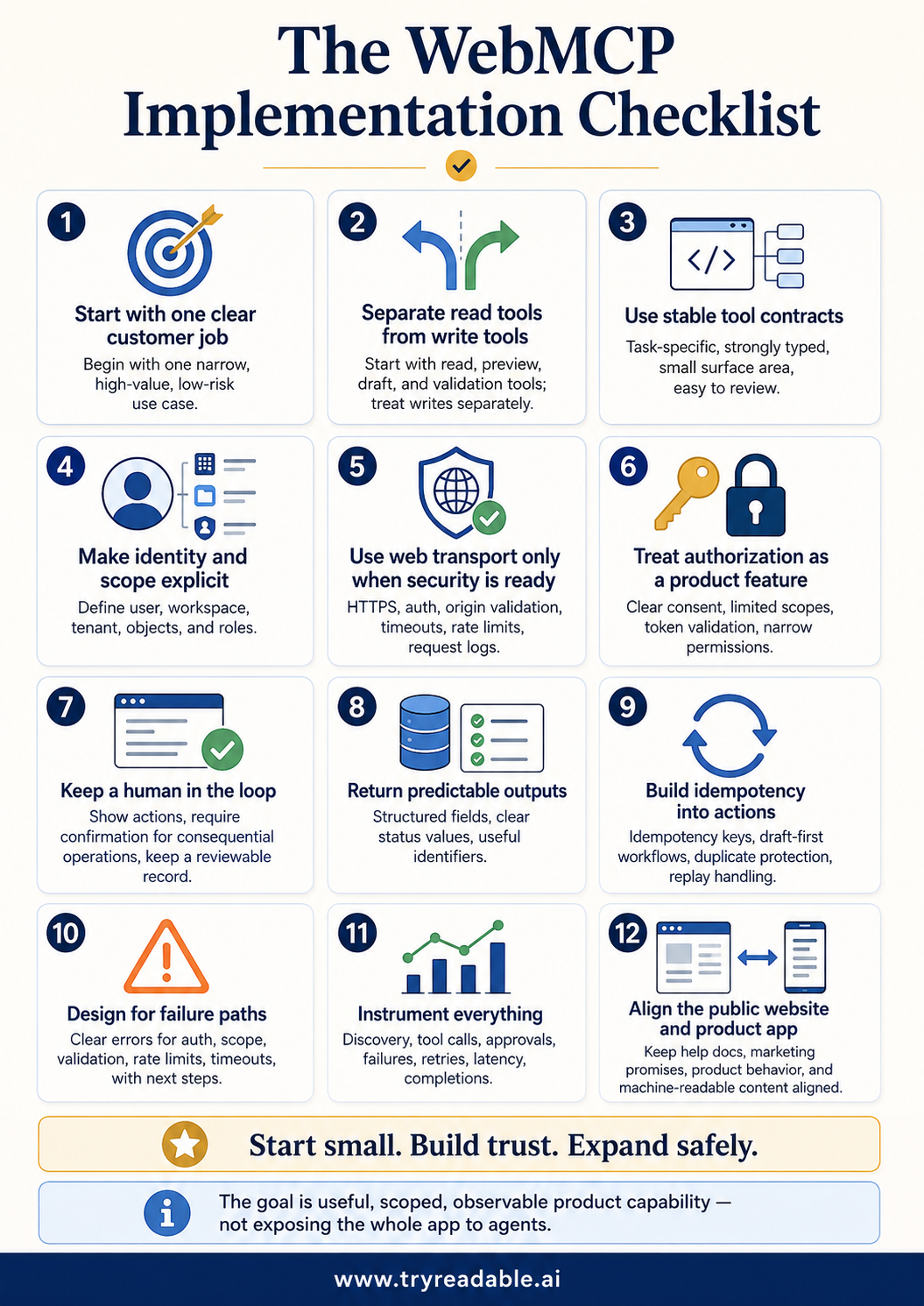
7. Keep a human in the loop for anything consequential
The MCP tools spec is direct about this: implementations should keep a human in the loop, show which tools are exposed, and present confirmation prompts for operations.
On a SaaS website, that should translate into real UX choices:
- show when an agent-triggered action is being attempted
- show what data the action will use
- require confirmation for writes, sends, purchases, or permission changes
- show success or failure in plain language
- keep a reviewable record of what happened
This mirrors the same product rule strong SaaS teams already follow for admin actions and billing changes: important actions should never feel silent.
8. Return predictable outputs, not marketing copy
A tool response should be operationally useful.
That usually means returning:
- structured fields
- clear status values
- machine-friendly identifiers
- human-readable summaries only where helpful
Avoid outputs that force the agent to guess what happened.
For example, prefer:
{
  "draftId": "tkt_draft_123",
  "status": "draft_created",
  "nextAction": "needs_user_review"
}
over:
{
  "message": "Your request has been taken care of and everything should be good to go."
}
The second response sounds friendly but creates ambiguity. The first response gives both the model and the user something concrete to work with.
9. Build idempotency into agent-triggered actions
Agents retry. Networks fail. Humans refresh pages. Sessions expire.
If a tool can create or mutate something, you need protection against duplicate execution. That usually means one or more of:
- idempotency keys
- draft-first workflows
- duplicate detection
- explicit replay handling
This is especially important for SaaS actions like:
- creating tickets
- generating reports
- opening support cases
- starting jobs
- sending messages
Without idempotency, an "agent-friendly" feature quickly becomes an operations problem.
10. Design for failure paths before launch
Your WebMCP layer should fail in ways that are easy to understand.
That includes:
- missing auth
- insufficient scope
- object not found
- validation errors
- rate limits
- downstream system timeouts
Do not hand the model a raw stack trace or a vague something went wrong response. Give deterministic error codes and the clearest next action available.
For user-facing flows, good failure design often includes a direct CTA, such as:
- reconnect account
- request access
- review draft manually
- retry in a few minutes
- open support
This is the same principle behind a good SaaS error state generally, but it matters even more when an agent is part of the loop.
11. Instrument everything
Before launch, define what you need to observe:
- tool discovery events
- tool call attempts
- approvals and denials
- successful completions
- validation failures
- downstream API failures
- latency by tool
- repeated retries
You will want to know not just whether the endpoint is up, but whether the agent experience is actually useful.
A healthy early WebMCP rollout often reveals things like:
- one tool is being discovered but rarely called
- one tool is called often but fails on missing scope
- one tool works technically but causes user hesitation at the confirmation step
That is product feedback, not just engineering telemetry.
12. Keep your public website and product app aligned
For many SaaS companies, the website and product live in separate systems. That creates a subtle WebMCP problem: the public layer may promise actions or data paths that the authenticated product cannot actually support cleanly.
Before launch, check that:
- your marketing site describes the capability accurately
- your help docs match the real tool behavior
- your app can route users into the right post-action state
- your public machine-readable content does not overpromise what the tool can do
This is where broader AI-readability work matters too. If your public content is unclear, your product tools will not fully compensate. That is also why many teams pair WebMCP work with structured content and discovery improvements rather than treating it as a standalone protocol project. Our take on whether llms.txt is actually useful is relevant here.
A simple rollout plan for most SaaS teams
If you want a realistic first rollout, use this sequence:
Phase 1: Read and explain
Expose tools that:
- fetch account facts
- explain settings
- summarize usage or billing state
- retrieve docs tied to the current context
Phase 2: Draft, do not publish
Expose tools that:
- create drafts
- assemble recommendations
- prepare forms
- generate structured next steps for human review
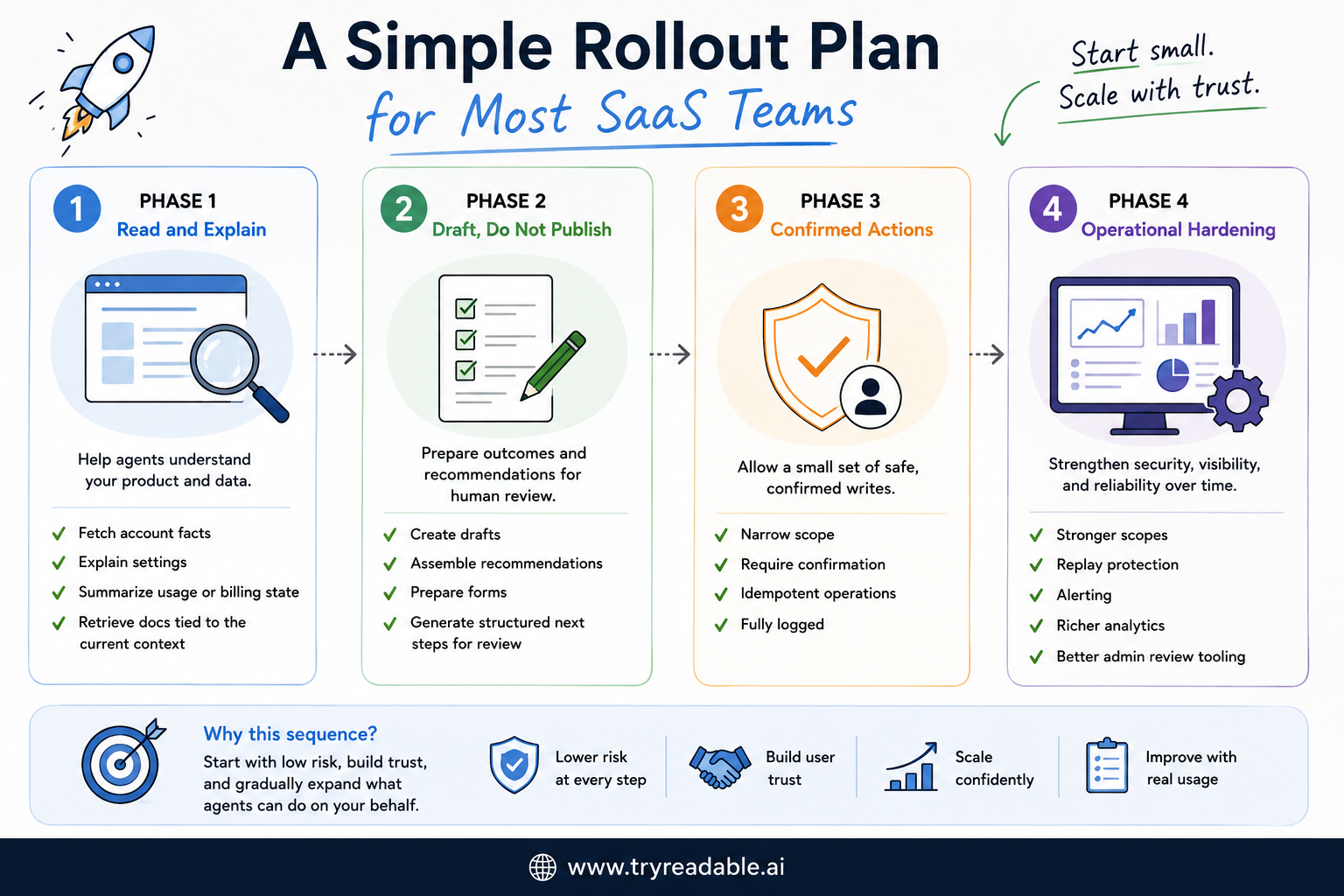
Phase 3: Confirmed actions
Expose a small set of writes that:
- have narrow scope
- require confirmation
- are idempotent
- are fully logged
Phase 4: Operational hardening
Add:
- stronger scopes
- replay protection
- alerting
- richer analytics
- better admin review tooling
That sequence is slower than a demo-first approach, but much more durable.
What a good first WebMCP launch looks like
A good first launch usually has these traits:
- only a handful of tools are exposed
- the tools map to real user jobs
- most tools are read-only or draft-first
- auth and scope boundaries are obvious
- confirmations exist for consequential actions
- logs are strong enough to explain what happened
- the team can safely say no to risky requests
That may feel conservative. It is also how trust gets built.
Final takeaway
For SaaS websites, WebMCP is not about exposing your whole application to agents. It is about exposing a carefully chosen, clearly scoped, observable slice of product capability that an agent can call safely.
If you get the first slice right, you create a new interface layer that can save users time and make your product easier for AI systems to work with.
If you skip the checklist, you usually end up with the opposite: a fragile integration that looks impressive in a demo and stressful in production.
Sources
Are you a SaaS business looking to implement WebMCP?
Talk to us to learn from our experience of doing it for 100s of businesses.


