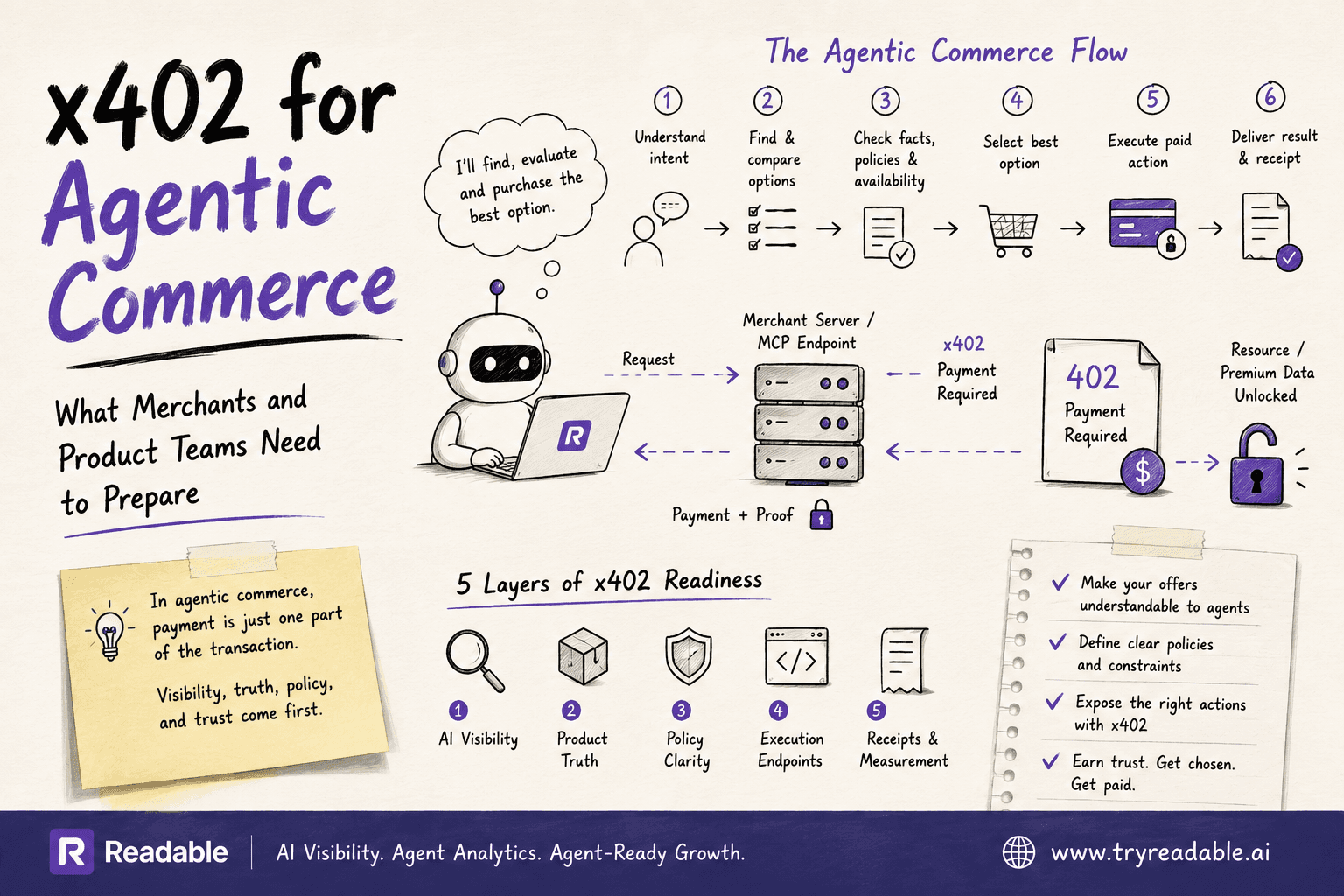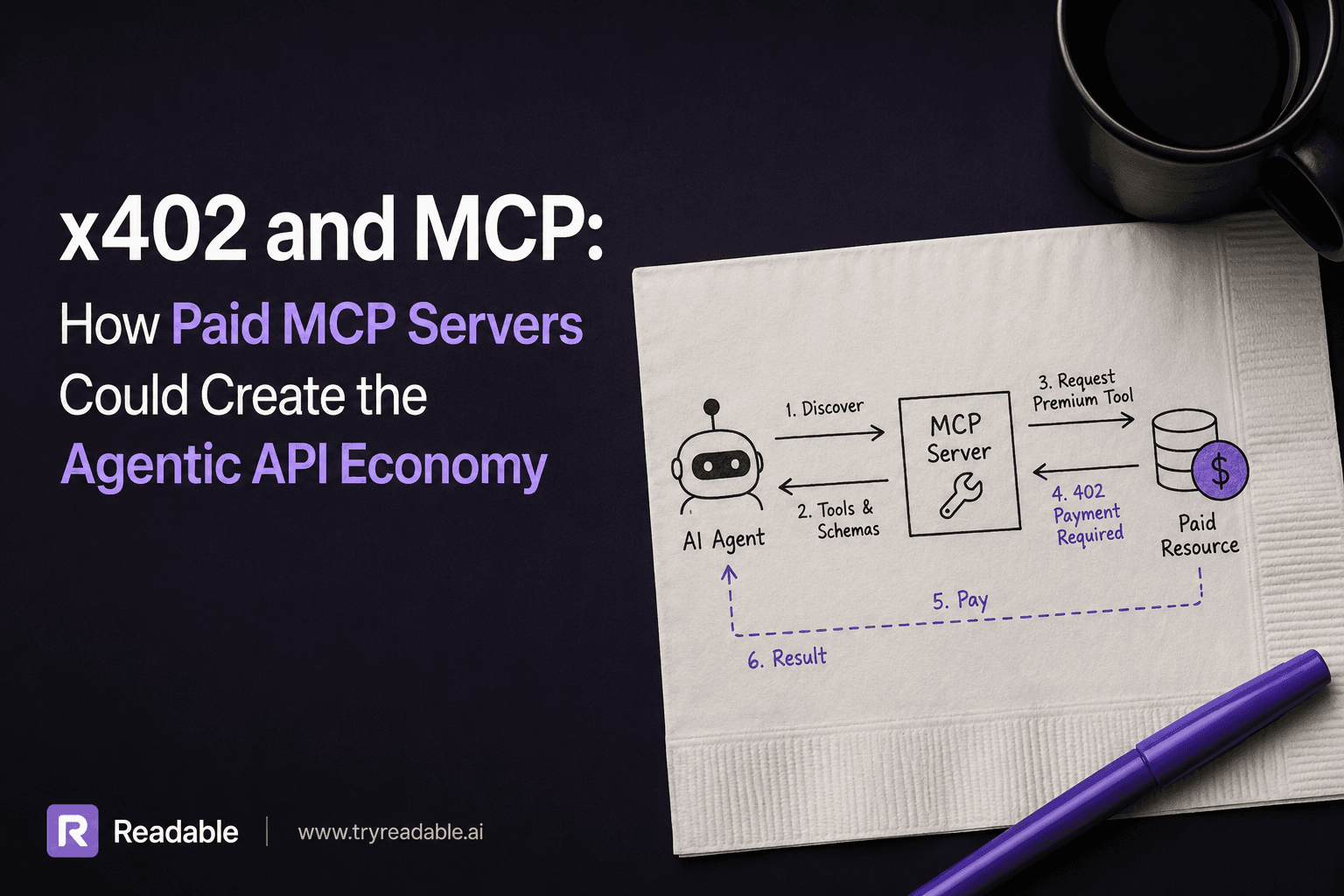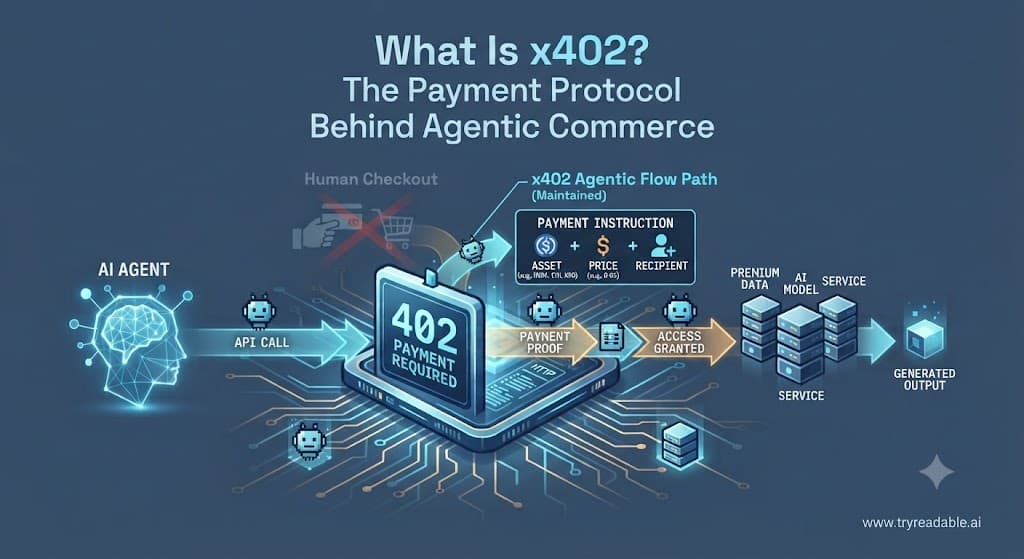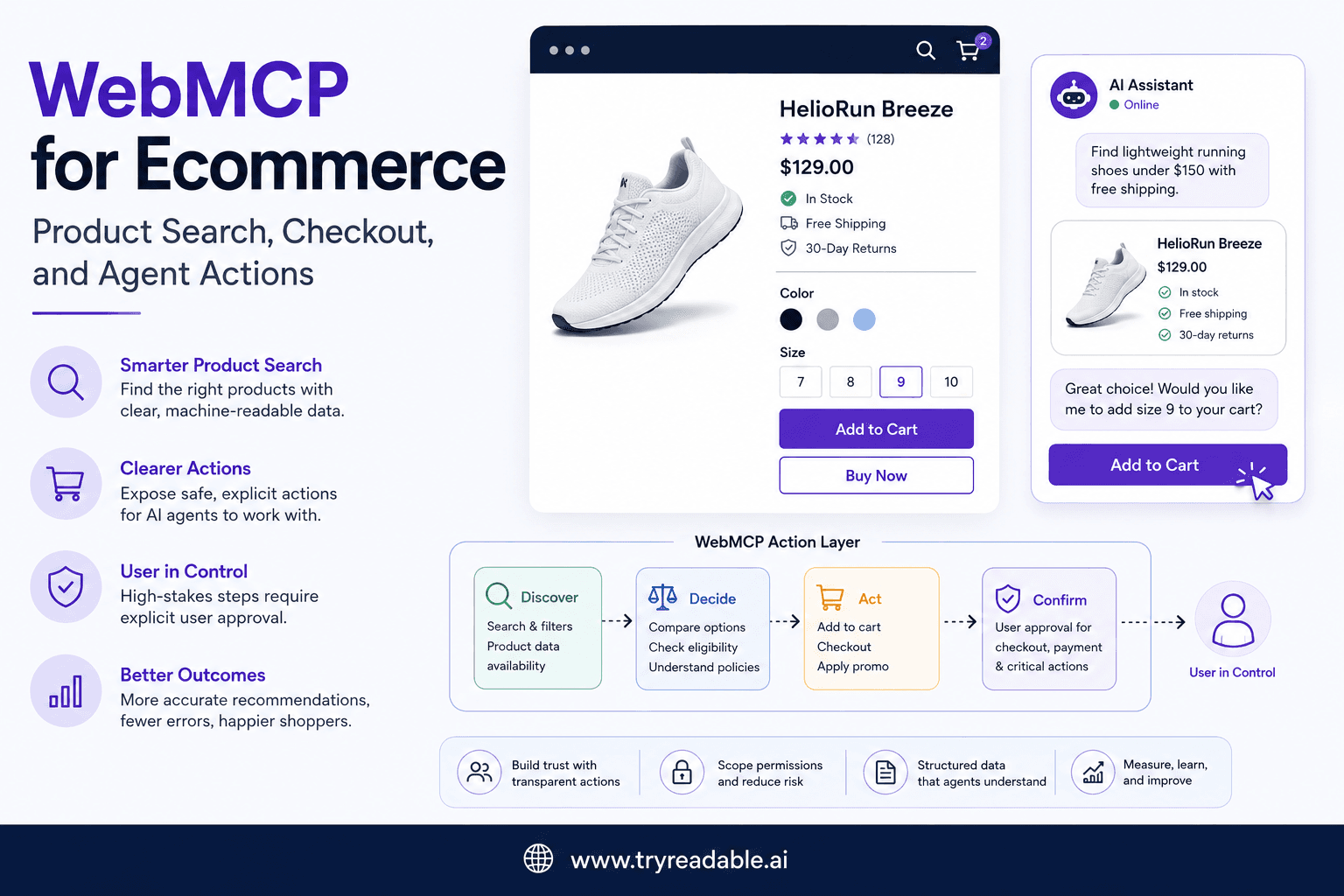
If your team runs an ecommerce website, the WebMCP conversation gets practical fast.
It is not just about whether AI agents can read your content. It is about whether they can find the right product, understand the buying constraints, and complete the next step without creating risk.
That is why ecommerce is one of the clearest places to think about WebMCP as an implementation pattern.
One quick framing note before we go deeper.
MCP is the official open protocol introduced by Anthropic in November 2024 for connecting AI applications to tools, data, and workflows. In this article, WebMCP means the website-side pattern of exposing clearer machine-readable actions and state so AI agents can work with a commerce experience more reliably. That is an implementation lens, not a separate formal standard.
If you want the broader setup view first, start with WebMCP Implementation Guide: Make Your Website Agent-Ready. For the protocol background, How LLMs Discover Your Model Context Protocol and Why It Matters and What is an AI-native website and why do you need one? are the right companion reads.
Why ecommerce is a strong WebMCP use case
Ecommerce sites already have the ingredients that make agent interactions appealing:
- structured product catalogs
- repeatable product-comparison flows
- explicit variant selection
- cart and checkout actions
- clear intent signals around pricing, shipping, and availability
Those same ingredients also create failure points when agents have to infer too much from raw pages.
A shopper can usually understand a product page even when the interface is dense. An AI agent often cannot do that as reliably. Product options may be hidden in custom selectors. Shipping restrictions may only appear after a user action. Add-to-cart behavior may depend on invisible front-end state. Promotions may conflict with inventory or region rules.
That gap matters because the commercial outcome is not just page understanding. It is task completion.
If an agent is helping a user answer questions like these, the website needs to make those answers and actions legible:
- Which version of this product fits the request?
- Is it in stock in the user’s region?
- What is the real delivered price?
- Can the item be added to cart safely?
- Which step requires explicit user approval?
The official MCP docs and specification focus on tool calling, transport, authorization, and human oversight. Ecommerce teams can use those ideas as a checklist for website actions too: make the action set explicit, scope permissions tightly, and keep the user in control.
Where normal ecommerce pages break for agents
Most commerce sites were built for visual browsing, not machine-assisted action.
That creates predictable problems.
Product search results are often presentation-first
Search and collection pages may expose titles and images clearly to humans, while hiding machine-useful facts across badges, lazy-loaded fragments, or UI-only filters. If the page does not clearly expose product type, fit, price state, availability, and comparison anchors, an agent may rank the wrong item or omit a relevant one.
Variant state is often implicit
Many product detail pages depend on client-side state to determine what can be purchased. Size, color, bundle, plan, add-ons, and delivery region may change inventory and price. If those dependencies are not explicit, an agent can misunderstand what is actually selectable.
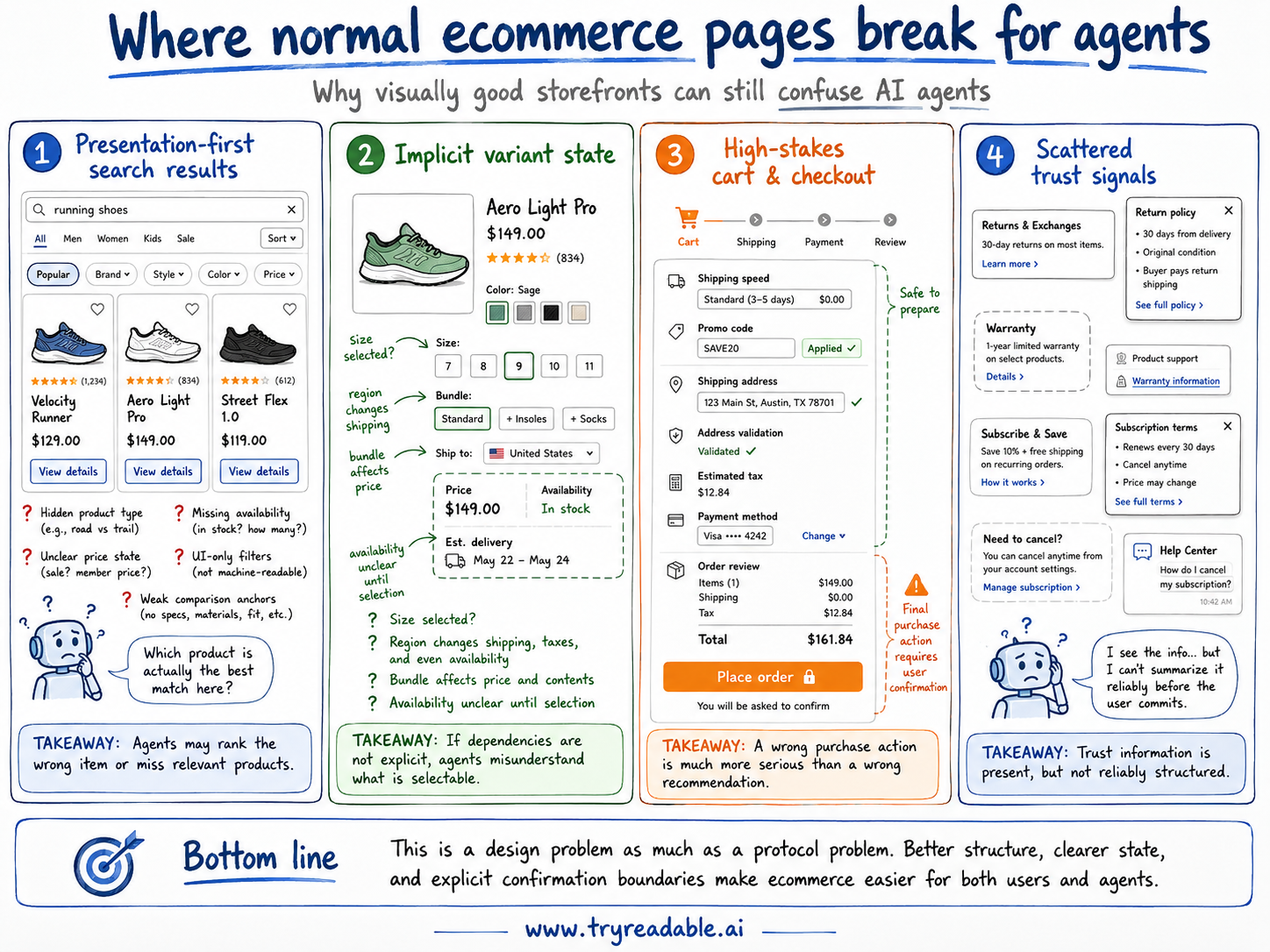
Cart and checkout actions are high-stakes
A wrong content recommendation is annoying. A wrong purchase action is more serious.
Checkout flows often include promo application, shipping speed, address validation, tax calculation, payment method changes, and order review. Those are exactly the kinds of flows where a site should be clear about what an agent may prepare versus what must be confirmed by the user.
Trust signals are scattered
Return policy, warranty, subscription renewal terms, and cancellation rules are often present, but not always in a form an agent can reliably summarize before a user commits.
That is a design problem as much as a protocol problem.
What WebMCP means on an ecommerce site
For ecommerce, WebMCP usually means exposing a cleaner action map across three layers:
- Discovery layer Product type, use case, availability, pricing state, trust signals, and comparison facts.
- Decision layer Variant dependencies, shipping constraints, cart prerequisites, and policy disclosures.
- Action layer Add to cart, start checkout, save for later, request restock alert, or generate a support draft.
The goal is not to replace your storefront UI. The goal is to make its important states and actions easier for an agent to understand without guessing.
A WebMCP-style representation for a product action flow might look like this:
{
  "pageType": "product-detail",
  "entity": {
    "type": "product",
    "id": "sku_12345",
    "name": "HelioRun Breeze"
  },
  "state": {
    "currency": "USD",
    "inStock": true,
    "variantRequired": true,
    "requiredSelections": ["size", "color"]
  },
  "actions": [
    {
      "name": "select_variant",
      "inputs": ["size", "color"],
      "confirmationRequired": false
    },
    {
      "name": "add_to_cart",
      "dependsOn": ["select_variant"],
      "confirmationRequired": false
    },
    {
      "name": "start_checkout",
      "dependsOn": ["add_to_cart"],
      "confirmationRequired": true
    }
  ]
}
That exact structure is only an example. The important idea is that the site is exposing task logic, not just visual controls.
Product search: what agents need from commerce pages
Agent-assisted shopping usually begins before the product page.
An AI assistant may be trying to answer prompts like:
- best running shoes for hot weather
- affordable CRM for a three-person sales team
- organic baby shampoo without fragrance
- carry-on luggage with laptop compartment under $200
To perform well, your site needs discovery signals that go beyond catchy merchandising copy.
That usually means:
- stable product names
- visible category and subcategory labels
- normalized price information
- stock or backorder state
- key specs and constraints
- clear comparison attributes
- structured data where appropriate
This is one reason WebMCP should not be separated from broader AI readability. If your site is weak on structure, schema, and content clarity, agent-facing action layers will not compensate for the discovery problem. That is also why Are llms.txt files useful? and the wider AI-native website discussion matter here.
Google’s documentation on structured data makes a similar point in a search context: machine-readable markup helps systems interpret important page facts. WebMCP extends that mindset from interpretation toward action readiness.
Product pages: expose dependencies before actions
The product detail page is usually where agent confidence either improves or collapses.
A well-prepared page should help an agent answer three things before it acts:
- What exactly is being sold?
- What choices are required before purchase?
- What should be confirmed with the user?
For many stores, the product-page work is more important than a flashy agent demo.
A strong product page for agent readiness usually makes these elements explicit:
- variant dimensions and valid combinations
- live price state after variant selection
- region or fulfillment constraints
- delivery windows or availability caveats
- subscription or replenishment terms
- return, exchange, or cancellation limits
- alternate actions when purchase is not possible
If a shopper must choose size before add-to-cart works, that dependency should be explicit. If a fragile item cannot ship to a certain region, that constraint should be available before checkout. If a subscription auto-renews, that should be visible before an agent summarizes the purchase.
Cart and checkout: where consent matters most
This is the area where teams should slow down and be disciplined.
The MCP tools guidance emphasizes human-in-the-loop controls and clear approval boundaries for tool calls. The transport and authorization specs also push implementers toward authenticated, scoped, auditable interactions. That philosophy maps directly onto ecommerce checkout.
A good rule for commerce sites is simple:
- Informational actions can often be agent-complete.
- Preparatory actions can often be agent-assisted.
- Commit actions should usually be user-confirmed.
That means a mature commerce implementation might allow an agent to:
- compare products
- select a tentative variant
- build or update a cart
- calculate shipping options
- prepare a checkout summary
- save an order draft
But it should be much more careful about letting an agent:
- submit payment
- finalize a subscription order
- use stored payment credentials
- change delivery addresses without confirmation
- accept upsells silently
For many teams, the best first version is not “agent checkout.” It is agent checkout preparation with explicit human approval at the final boundary.
Which ecommerce actions should be exposed first
Most teams should begin with a narrow set of actions that already align with customer intent and operational safety.
Good early candidates include:
search_productsfilter_productscompare_productsselect_variantcheck_inventoryestimate_shippingadd_to_cartsave_cartrequest_price_alertcreate_support_ticket_draft
These actions share useful traits:
- they map to clear customer goals
- they can be scoped tightly
- they are testable
- they are easier to observe
- many can be made reversible or draft-first
By contrast, these are usually poor first candidates:
submit_orderchange_saved_payment_methodcancel_existing_ordermodify_subscription_billingapply_any_available_discount
Those workflows may still matter later, but they demand stronger identity, consent, fraud, and audit controls.
A safer rollout model for ecommerce teams
A lot of commerce teams will get better results by thinking in phases.
Phase 1: Discovery and explanation
Expose read-oriented capabilities that help an agent understand catalog and product facts:
- search and filter helpers
- product specifications
- compatibility facts
- availability and shipping estimates
- return-policy summaries
Phase 2: Cart preparation
Add low-risk actions that prepare rather than commit:
- select variants
- add items to cart
- update quantities
- save carts
- create order drafts
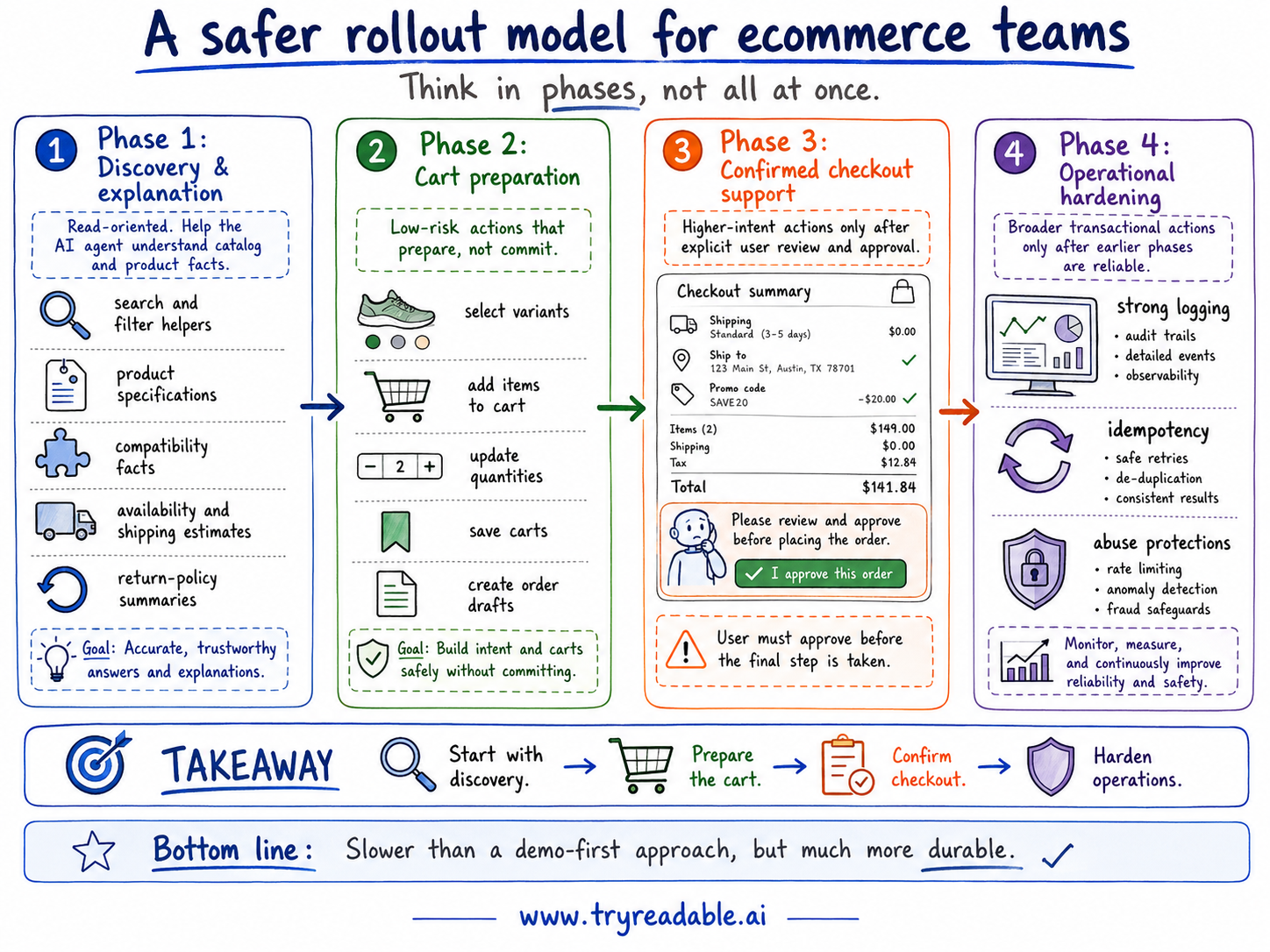
Phase 3: Confirmed checkout support
Support higher-intent flows only after the user explicitly reviews and approves key details:
- shipping selection
- address confirmation
- promo application review
- final order summary generation
Phase 4: Operational hardening
Only after the earlier phases are reliable should teams expand into broader transactional actions, and only with strong logging, idempotency, and abuse protections.
Security risks ecommerce teams should design for now
Commerce sites carry more financial and trust risk than most content workflows, so the security posture needs to be stronger too.
The official MCP security guidance and authorization model are useful reference points here, even if your implementation is website-first.
1. Tool poisoning or misleading tool descriptions
If an agent is discovering actions from machine-readable descriptions, those descriptions need the same rigor you would apply to an API contract or checkout copy. Ambiguous or misleading labels can push an agent toward the wrong action or overstate what a tool is allowed to do.
2. Over-broad permissions
A commerce tool that can read product data does not need permission to modify saved addresses or submit payment. Scope each action narrowly.
3. Silent state changes
Users should never be surprised by a meaningful cart or checkout mutation. If an agent updates the cart, changes the selected variant, or switches shipping speed, the interface should make that visible.
4. Missing consent boundaries
The user should be able to see which steps are informational, which are preparatory, and which require confirmation. “Agent-ready” should never mean “user-bypassing.”
5. Replay and duplicate execution
Agent systems retry. Networks fail. Users change tabs. Cart and order actions need idempotency or replay protection so a retry does not create duplicate draft orders or repeated downstream actions.
What an ecommerce team should measure
If you expose agent-usable commerce actions, the analytics should tell you whether the experience is helping or harming.
Useful signals include:
- product-search success rate
- product-comparison usage
- variant-selection failure rate
- cart-update success rate
- checkout-summary completion rate
- user confirmation acceptance versus rejection
- action retries by tool
- downstream fulfillment or support exceptions
These metrics help answer the real business question: are agent-assisted shoppers reaching higher confidence and lower friction, or just generating more edge cases?
WebMCP is not a substitute for core commerce hygiene
This is worth being explicit about.
WebMCP will not fix:
- poor product data quality
- inconsistent variant modeling
- weak taxonomy
- missing trust signals
- confusing returns language
- inaccessible checkout design
- brittle front-end state handling
If those issues exist, an agent-facing layer may expose them more clearly rather than solving them.
That is why strong ecommerce readiness usually combines multiple layers:
- clear information architecture
- structured data and metadata
- stable product facts
- explicit action semantics
- visible confirmation boundaries
- secure scoped execution
This is also the right place to distinguish WebMCP from llms.txt. A file like llms.txt can help guide discovery toward the right resources, but it does not express interactive storefront state or checkout permissions. They solve different problems at different layers.
Final takeaway
For ecommerce teams, WebMCP is most useful when it is treated as a clarity and control layer for agent-mediated shopping journeys.
The goal is not to let AI agents “shop however they want.”
The goal is to help agents:
- understand product choices accurately
- follow cart and checkout rules safely
- stop at the right confirmation boundary
- complete low-risk actions reliably
If you do that well, you make the storefront easier for AI systems to navigate and easier for customers to trust.
That is the version of agent readiness that is actually worth shipping.
If you want the wider implementation lens next, continue with WebMCP Implementation Guide: Make Your Website Agent-Ready.
Sources
- Anthropic: Introducing the Model Context Protocol
- Model Context Protocol docs: Introduction
- MCP specification overview
- MCP transports specification
- MCP authorization specification
- MCP tools specification
- MCP security best practices
- webMCP: Efficient AI-Native Client-Side Interaction for Agent-Ready Web Design
- Google Search Central: Introduction to structured data markup in Search
- OpenAI: New tools for building agents
Get free WebMCP installation demo for your e-commerce store
Talk to us to make AI agents your buying customers