Table of contents
- What Is ChatGPT 5.5 and What Makes It Different
- How to Access ChatGPT 5.5 and Where to Use It
- Why Your Old ChatGPT Prompts May Stop Working
- How to Write Prompts That Actually Work in ChatGPT 5.5
- Practical Ways Founders and Marketers Can Use ChatGPT 5.5 Daily
- Common ChatGPT 5.5 Mistakes Founders and Marketers Make
- How to Build a Simple ChatGPT 5.5 Workflow for Your Business
- Getting Started Today
How to Use ChatGPT 5.5: A Practical Guide for Founders and Marketers
If you have been using ChatGPT for marketing copy, competitor research, or product messaging, you have probably built up a small library of prompts that reliably get you decent results. The problem is that many of those prompts were written for GPT-4 or earlier models, and they carry habits that no longer serve you well in ChatGPT 5.5.
OpenAI released GPT-5.5 in April 2026 as a fully retrained model, not a minor patch. The behavioral changes are significant enough that prompts relying on role-play tricks, chain-of-thought nudges, or excessive repetition will often produce worse results than a clean, direct instruction would. For founders and marketers who depend on AI-assisted workflows, understanding these changes is not optional. It is the difference between getting a mediocre first draft and getting something you can actually use.
This guide walks through exactly what changed, how to access the model, how to write prompts that work, and how to build a repeatable workflow you can use every single week.
What Is ChatGPT 5.5 and What Makes It Different
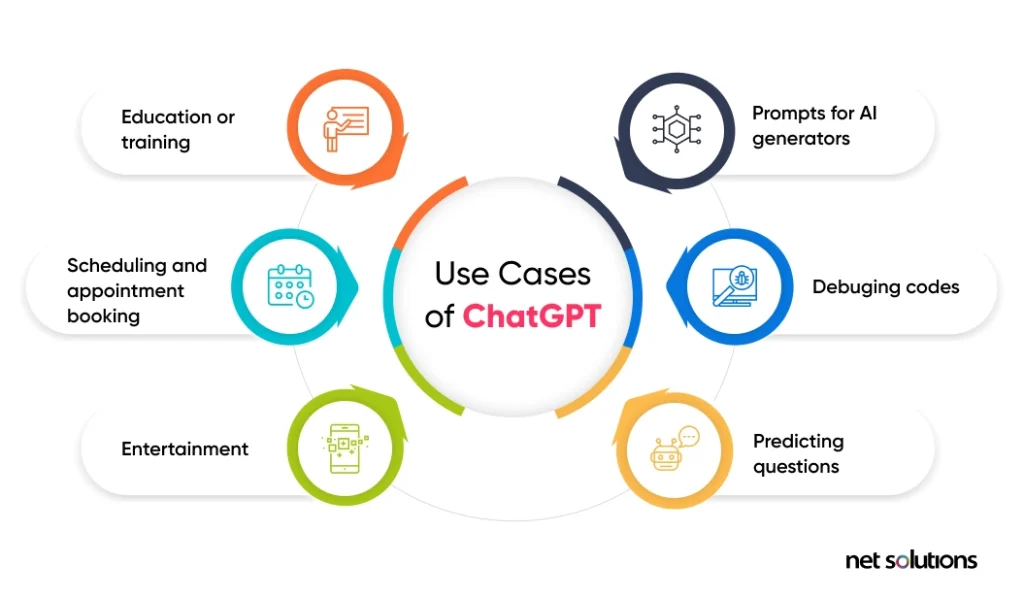
ChatGPT 5.5 is OpenAI's latest production model, released in April 2026 and now the recommended default for most users across the ChatGPT interface and the API. It is not an incremental update to GPT-4. It is a fully retrained model, which means it was built from the ground up with different training objectives, a larger context window, and meaningfully stronger reasoning capabilities.
For founders and marketers, the distinction matters because the model does not just produce slightly better text. It behaves differently. It interprets instructions more literally, reasons through multi-step problems without needing to be coached, and handles much larger amounts of input in a single conversation.
Here are the practical upgrades that matter most for daily work:
Stronger reasoning out of the box. GPT-5.5 does not need you to write "think step by step" or "reason carefully before answering." It already does this. You can ask it to analyze a competitor's positioning or identify gaps in your messaging, and it will work through the problem without needing hand-holding.
A 1 million token context window. Earlier models topped out at around 128,000 tokens. GPT-5.5 can handle up to 1 million tokens in a single context, which is roughly equivalent to several full-length books or an entire year of customer support transcripts. For marketers, this means you can feed in your brand guidelines, a set of customer interviews, and a competitor analysis all at once, and ask the model to synthesize them.
Improved agentic capabilities. GPT-5.5 can plan and execute multi-step tasks with less supervision. You can ask it to research a topic, summarize findings, and draft a brief, and it will move through those steps without you needing to prompt each one individually. According to Tosea.ai's complete guide to GPT-5.5, this agentic behavior is one of the most significant practical shifts in how the model operates compared to its predecessors.
Better response to clear, direct instructions. This is the shift that catches most experienced ChatGPT users off guard. GPT-5.5 responds better to plain, specific instructions than to the elaborate prompt structures that worked well in GPT-4. If you have been writing long, carefully engineered prompts with multiple layers of framing, you may actually get worse results now. The model is smart enough that the extra scaffolding gets in the way.
For founders and marketers, the biggest practical takeaway is this: stop trying to trick the model into performing well. Just tell it clearly what you want.
How to Access ChatGPT 5.5 and Where to Use It
Getting access to ChatGPT 5.5 is straightforward, but it does require a paid plan.
ChatGPT Plus, Team, and Enterprise. GPT-5.5 is available to subscribers on ChatGPT Plus, Team, and Enterprise plans. If you are on the free tier, you will not have access to GPT-5.5 by default. Plus costs $20 per month and gives you access to the latest models, including GPT-5.5.
Selecting GPT-5.5 inside ChatGPT. Once you are on a paid plan, open a new conversation in the ChatGPT interface. At the top of the chat window, you will see a model selector dropdown. Click it and choose GPT-5.5 from the list. If you do not see it, make sure your plan is active and that you are using the latest version of the interface. OpenAI has been rolling out GPT-5.5 as the default for most paid users, so in many cases it will already be selected.
The OpenAI API. If you use ChatGPT through third-party tools, custom integrations, or your own internal workflows, GPT-5.5 is available via the OpenAI API. Developers can call it using the model identifier gpt-5.5 in their API requests. Many tools that connect to the OpenAI API, including writing assistants, CRM integrations, and marketing automation platforms, will update their model options to include GPT-5.5 as adoption grows.
Third-party tools and workflows. If you use tools like Zapier, Make, or custom no-code workflows that connect to OpenAI, check whether those integrations have been updated to support GPT-5.5. Some will update automatically, while others require you to manually select the new model in the tool's settings.
A quick note on cost. GPT-5.5 is more capable than GPT-4, and API pricing reflects that. For most founders and marketers using ChatGPT through the standard interface, the Plus subscription covers your usage without additional per-message charges. If you are using the API at scale, review OpenAI's pricing page before building workflows that make a high volume of calls.
Why Your Old ChatGPT Prompts May Stop Working
This is the section most people skip, and it is the reason they end up frustrated with GPT-5.5 in the first week.
If you have been using ChatGPT seriously for more than a few months, you have probably developed a set of prompting habits. Maybe you always start with "Act as an expert marketer with 10 years of experience." Maybe you add "Think step by step" at the end of complex requests. Maybe you repeat the key instruction two or three times to make sure the model pays attention. These habits made sense for GPT-4. They do not serve you as well in GPT-5.5.
Here is why.
GPT-5.5 interprets prompts more literally. Earlier models sometimes needed role-play framing to get into the right mode. GPT-5.5 does not. When you write "Act as a senior copywriter," the model now takes that somewhat literally and may add unnecessary caveats or shift its tone in ways you did not intend. A direct instruction like "Write a 200-word product email for a B2B SaaS audience" will often produce a better result.
Chain-of-thought nudges are no longer necessary. GPT-5.5 reasons well without being told to. Adding "Let's think through this carefully" or "Reason step by step before answering" does not improve the output the way it did in GPT-4. In some cases, it adds unnecessary verbosity to the response.
Bloated prompts can confuse the model. GPT-5.5 is better at inferring intent, which means it picks up on every piece of context you provide. If you add a lot of background information that is not directly relevant to the task, the model may weight that context too heavily and produce output that addresses the background rather than the actual instruction. According to Readable's ChatGPT 5.5 prompting guide, excessive repetition and over-engineered prompt structures often produce worse results now than a clean, direct instruction would.
A relatable example. Imagine a marketer who has a go-to prompt for landing page copy. It looks something like this:
"You are an expert conversion copywriter with deep experience in SaaS marketing. You understand buyer psychology and know how to write headlines that convert. I need you to think carefully about the audience before writing. The audience is busy startup founders who are skeptical of new tools. With all of that in mind, please write a landing page headline and subheadline for a project management tool. Make sure it is compelling and addresses pain points. Think step by step."
In GPT-4, this prompt worked well. In GPT-5.5, the model may get bogged down in the framing, produce something that sounds like a textbook example of conversion copy rather than actual copy, or add meta-commentary about its approach before getting to the output. The same marketer could get a better result with:
"Write a landing page headline and subheadline for a project management tool aimed at startup founders. Lead with the time they save. Keep it under 20 words total."
The second prompt is shorter, more specific, and produces a more usable result.
How to Write Prompts That Actually Work in ChatGPT 5.5
Now that you understand why old habits can backfire, here is a practical framework for writing prompts that work well in GPT-5.5.
Lead with the task, not the context
The first sentence of your prompt should tell the model exactly what you want it to produce. Do not warm up with background. Do not explain why you need the thing before asking for it. State the task first, then add any necessary context after.
Old approach: "I run a B2B SaaS company and we are launching a new feature next week. Our audience is operations managers at mid-sized companies. I need some help with marketing. Can you write an email announcing the feature?"
GPT-5.5 approach: "Write a 150-word email announcing a new automation feature to operations managers at mid-sized companies. Lead with the time saved, end with a single CTA to book a demo."
Be specific about format, length, and audience
GPT-5.5 is good at inferring intent, but it should not have to guess what format you want. If you need a bulleted list, say so. If you need exactly three options, say three. If the output is for a LinkedIn audience versus an email list, that distinction matters and you should include it.
Set tone and behavior once at the start of a conversation
Instead of repeating your tone instructions in every message, set them once at the beginning of a conversation and let the model carry them forward. For example, you might open a conversation with: "For this conversation, write in a direct, confident tone. Avoid jargon. The audience is non-technical founders." You do not need to repeat this in every follow-up message.
Use constraints deliberately
Telling the model what NOT to do is just as useful as telling it what to do. If you do not want bullet points, say "no bullet points." If you do not want the model to include a disclaimer, say "do not add caveats or disclaimers." Constraints help the model understand the boundaries of the task and reduce the chance of it defaulting to a generic format.
Side-by-side example: product email prompt
Old GPT-4 style prompt:
"Act as an expert email marketer. You are writing for a SaaS company. The product helps teams manage projects. Think about what would motivate a busy founder to open this email and take action. Write a product announcement email that is engaging, highlights the key benefits, and ends with a call to action. Make it sound human and not robotic."
Clean GPT-5.5 prompt:
"Write a product announcement email for a project management SaaS. Audience: startup founders with 5 to 50 person teams. Announce a new Slack integration. Lead with the problem it solves (context switching). Keep it under 120 words. End with one CTA: 'Connect Slack in 2 minutes.' No bullet points. Conversational tone."
The second prompt will consistently produce a more usable first draft because it gives the model clear parameters instead of asking it to infer what "engaging" or "human" means.
For a deeper dive into prompting principles, the Readable ChatGPT 5.5 prompting guide covers side-by-side examples across several marketing use cases.
Practical Ways Founders and Marketers Can Use ChatGPT 5.5 Daily
Here are the use cases where GPT-5.5 delivers the most value for founders and marketers in day-to-day work.
Writing and iterating on marketing copy
This is the most obvious use case, and GPT-5.5 handles it well. You can use it to draft ads, emails, landing pages, and social posts. The key is to treat the first output as a draft and use one or two follow-up messages to refine it. Ask the model to make the headline punchier, shorten the second paragraph, or rewrite the CTA with more urgency. Short, iterative conversations produce better results than trying to get everything right in a single prompt.
Competitor and market research using the long context window
The 1 million token context window is genuinely useful for research tasks. You can paste in multiple competitor landing pages, a set of customer reviews, and a market report, then ask GPT-5.5 to identify positioning gaps, common objections, or messaging themes. This kind of synthesis used to require multiple separate prompts or a lot of manual reading. Now you can do it in a single conversation.
Product messaging and positioning
Feed in five to ten customer interview transcripts and ask GPT-5.5 to identify the top three pain points, the language customers use to describe the problem, and the outcomes they care most about. This is one of the highest-value uses of the model for early-stage founders who are still sharpening their positioning. The output gives you raw material for your homepage, your pitch, and your sales conversations.
Drafting investor updates, pitch decks, and board summaries
GPT-5.5 can draft structured documents with a consistent tone if you give it the right inputs. Feed in your key metrics, a few bullet points on progress and blockers, and a note on what you need from the reader, then ask it to draft a monthly investor update. Set the tone once at the start of the conversation and the model will maintain it across the document.
Agentic tasks and multi-step research briefs
According to Tosea.ai's guide to GPT-5.5, the model's agentic capabilities allow it to plan and execute multi-step tasks without constant hand-holding. In practice, this means you can ask GPT-5.5 to research a topic, organize the findings into a structured brief, and suggest three angles for a content piece, and it will move through those steps in sequence. You do not need to prompt each step individually.
If you want to see how AI-assisted content workflows can improve your brand's visibility in AI-generated answers, explore what Readable's platform does for founders and marketing teams.
Common ChatGPT 5.5 Mistakes Founders and Marketers Make
Even experienced ChatGPT users make these mistakes when they first switch to GPT-5.5. Knowing them in advance will save you a lot of frustration.
Over-prompting
Adding too much background information is the most common mistake. When you include a long preamble about your company, your audience, your goals, and your history before getting to the actual task, you dilute the instruction. GPT-5.5 tries to address all of that context, and the result is often a generic response that covers everything superficially rather than executing the specific task well. Keep your prompts focused.
Migrating old GPT-4 prompts without updating them
If you have a saved library of prompts from GPT-4, do not just copy and paste them into GPT-5.5 and expect the same results. The behavioral differences are significant enough that prompts with heavy role-play framing, chain-of-thought nudges, or excessive repetition will often underperform. Take an hour to review your most-used prompts and rewrite them using the principles in the previous section.
Not setting a consistent tone or persona at the start of a project
If you start a new conversation without setting any tone or style guidance, GPT-5.5 will default to a neutral, slightly formal register. That may not match your brand voice. Set your tone once at the beginning of each project conversation and the model will carry it through. If you are working on a campaign over multiple sessions, keep a short "tone brief" you can paste at the start of each new conversation.
Treating every task as a one-shot prompt
One of the most underused features of ChatGPT is the back-and-forth conversation. Many users write one long prompt, get an output, decide it is not quite right, and then write another long prompt from scratch. A more effective approach is to treat the first output as a starting point and use short follow-up messages to refine it. "Make the opening line more direct." "Cut the third paragraph." "Rewrite the CTA to focus on speed, not features." Two or three short follow-ups will almost always produce a better result than one elaborate prompt.
Ignoring the model's clarifying questions
GPT-5.5 will sometimes ask a clarifying question before producing output, especially for ambiguous tasks. Many users ignore these questions and just ask the model to proceed. This is a missed opportunity. The clarifying question is the model telling you that it needs more information to do the task well. Engaging with it, even briefly, will sharpen the output significantly.
For more guidance on building AI-assisted workflows that produce consistent results, visit the Readable guides section.
How to Build a Simple ChatGPT 5.5 Workflow for Your Business
The goal is to make ChatGPT 5.5 a genuine productivity tool rather than something you use occasionally when you remember it exists. Here is a simple system you can set up once and use every week.
Step 1: Create a short system prompt or opening instruction
Write a two to three sentence opening instruction that sets your brand voice, your audience, and your preferred output format. Keep it short. Something like: "We are a B2B SaaS company targeting operations managers at companies with 50 to 500 employees. Write in a direct, confident tone. Avoid jargon and buzzwords. Default to short paragraphs and no bullet points unless I ask for them."
Paste this at the start of any new conversation where you are producing brand-facing content. It takes ten seconds and saves you from inconsistent outputs across sessions.
Step 2: Build a small library of updated GPT-5.5 prompts
Identify the five to ten tasks you use ChatGPT for most often. For most founders and marketers, this includes things like writing cold emails, drafting social posts, summarizing research, and creating first drafts of landing page copy. Write a clean, specific GPT-5.5 prompt for each task using the framework from the prompting section above. Save them in a simple document or a tool like Notion so you can access them quickly.
Step 3: Use the long context window as a reference library
Instead of starting every conversation from scratch, use the 1 million token context window to feed in reference material at the start of a session. This might include your brand guidelines, your ICP description, a set of customer quotes, or your most recent campaign results. When the model has this context, it produces outputs that are more aligned with your actual brand and audience without you needing to explain everything from scratch each time.
Step 4: Follow a weekly workflow
Here is a concrete example of how a founder might use ChatGPT 5.5 as part of a Monday morning routine.
Every Monday, they open a new ChatGPT conversation, paste their opening tone instruction, and then paste in a summary of last week's key metrics: revenue, signups, churn, and any notable customer feedback. They then ask GPT-5.5 to do two things: draft a short team update for Slack summarizing the week, and suggest three content ideas based on what the metrics suggest about what their audience cares about right now.
The whole process takes about fifteen minutes. The team update goes out with minor edits. One of the three content ideas usually becomes the week's main piece of content. The other two go into a backlog.
This kind of repeatable workflow is where ChatGPT 5.5 delivers the most value. It is not about using the model for one-off tasks. It is about building it into the rhythm of how you work.
Step 5: Review and iterate
Treat every first output as a draft. Use one or two follow-up messages to sharpen it before you use it. Over time, you will notice patterns in what the model gets right and what it consistently misses for your specific use case. Use those observations to update your saved prompts and your opening instructions. The system improves as you use it.
If you want to understand how AI-generated content affects your brand's visibility in tools like ChatGPT, Perplexity, and Google's AI Overviews, book a demo with Readable to see how the platform tracks and improves your presence in AI answers.
Getting Started Today
ChatGPT 5.5 is a meaningfully better tool than what came before it, but only if you use it in a way that matches how it actually works. The founders and marketers who will get the most out of it are not the ones who write the most elaborate prompts. They are the ones who write the clearest instructions, build repeatable workflows, and treat the model as a collaborative tool rather than a magic output machine.
Start with one task you do every week. Write a clean, specific GPT-5.5 prompt for it. Use the output as a draft and refine it with one or two follow-up messages. Do that for a week and you will have a better sense of how the model behaves than you would from reading any guide, including this one.
For more resources on using AI effectively in your marketing and content workflows, visit the Readable guides section or explore how brands are using AI visibility tools to stay ahead in a world where AI answers are increasingly the first thing people see.
Sources referenced in this article: OpenAI | Readable ChatGPT 5.5 Prompting Guide | Tosea.ai GPT-5.5 Complete Guide | OpenAI API Documentation | OpenAI Pricing | Zapier | Make | Notion
Sources
- ChatGPT 5.5 Prompting Guide: How to Write Prompts That Actually Work in the Latest Model | Blog | Readable
- - YouTube
- How to Use GPT-5.5: Complete Guide to OpenAI's New Agentic Model in 2026 | Tosea.ai
- Google Search Central documentation
- Google AI Overviews documentation
- OpenAI announcement archive
- Anthropic documentation
- Schema.org structured data vocabulary
- W3C JSON-LD specification
- Google Analytics developer docs
- NIST AI Risk Management Framework
Are your AI prompts built for an older model?
GPT-5.5 interprets instructions differently than earlier versions, and your existing prompts may need adjustment to deliver results that actually move the needle.